
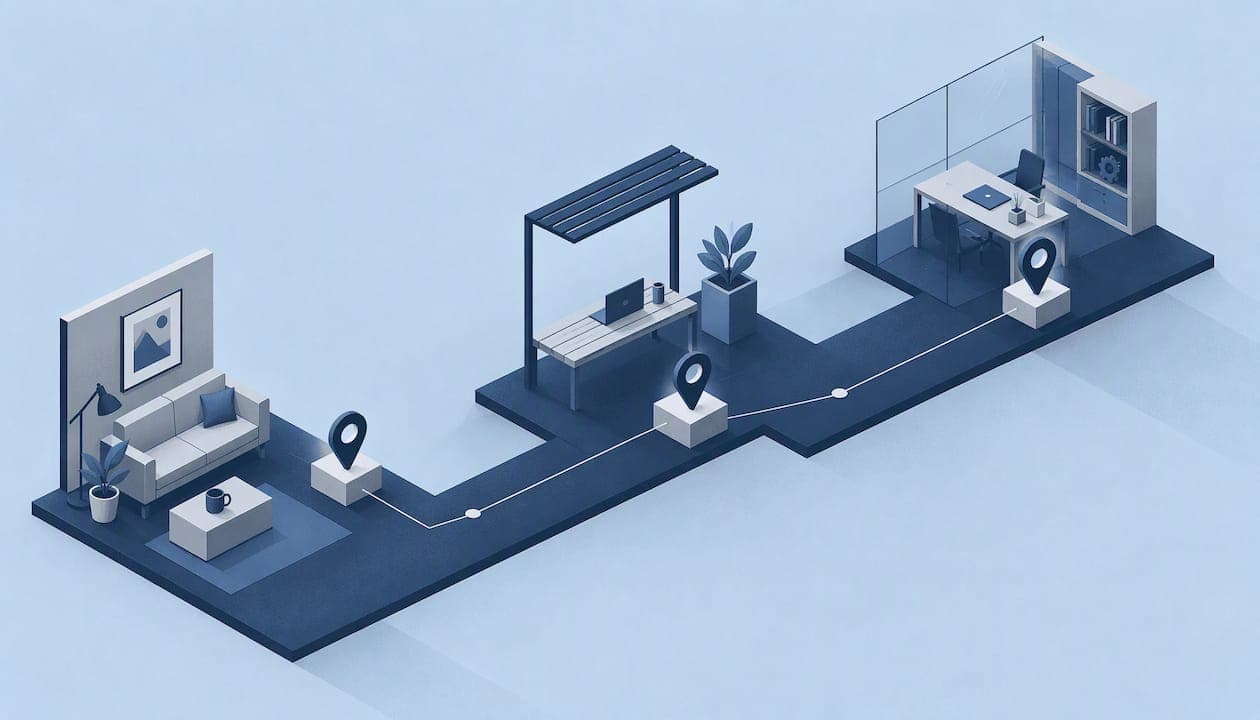
BYOD time tracking means your employees clock in and out from their own smartphones instead of a company-issued device or a wall-mounted terminal. It works well for field teams, and it is legal in most places. It only holds up when you pair three things: a written policy, clock-ins that are verified (location plus identity), and a clear line between work data and the employee's personal phone. This guide walks through each one, with the California issues that catch employers out most often.
TL;DR
- BYOD time tracking is workable and common, but it is a policy and privacy question first and a software question second.
- Verify each punch with GPS and identity checks, not GPS alone, so a coworker cannot clock in for someone else.
- Record only clock events, not a continuous trail of where the employee's phone goes.
- In California, requiring personal phones for work can trigger expense reimbursement. Budget for it and write it down.
- Give employees a way to review and approve their own timecards.
Table of Contents
- Why BYOD time tracking is already happening on your crews
- What BYOD time tracking involves
- BYOD or company devices: how to decide
- Is BYOD time tracking legal?
- California: reimbursement and privacy
- Build a BYOD policy that employees will accept
- Stopping buddy punching on personal phones
- Events, not streams: the privacy-friendly design
- Let employees check their own hours
- Our perspective: verify the punch, not the person's whole day
- Rolling it out in four steps
- Try it on your own crew
- FAQ
- Sources
Why BYOD time tracking is already happening on your crews
Most managers who search for this are not deciding whether employees will use personal phones. They already do. According to Ivanti's 2025 research, 75% of IT workers report regular BYOD use, yet just over half of organizations permit it, and 78% of employees ignore BYOD bans. The Verizon Mobile Security Index 2025 reports the same pattern, and it describes a clear, enforceable BYOD approach as essential.
For time tracking, that gap has a practical meaning. If crews text their start times, photograph a paper sheet or use a personal app you have never reviewed, you have unofficial BYOD time tracking with no controls. Bringing it into a formal setup costs less than the disputes it prevents.
What BYOD time tracking involves
A BYOD setup has four parts:
- The device. The employee's own iPhone or Android phone.
- The app. A work clock-in app or mobile web page installed on that phone.
- The verification. Location and identity checks that tie each punch to the right person at the right place.
- The policy. A written agreement covering what the app collects, when, and who pays for what.
The first two are the easy part. Most disputes and legal exposure come from parts three and four.
BYOD or company devices: how to decide
There is no universal answer. Use these criteria.
| Factor | BYOD phones | Company-issued phones | Shared kiosk or tablet |
|---|---|---|---|
| Upfront hardware cost | None | Highest | Moderate |
| Works at remote or changing sites | Yes | Yes | Only where installed |
| Reimbursement questions | Yes, in states such as California | No | No |
| Employee privacy concerns | Highest, needs clear limits | Lower | Lowest |
| Buddy punching risk | Low with identity checks | Low | Higher without biometrics or photos |
| Setup speed | Fast | Slow (procurement) | Moderate |
If your crews move between job sites, BYOD or company phones usually beat a fixed kiosk. Our guide to kiosk versus mobile time clocks for small teams goes deeper on that trade-off.
Is BYOD time tracking legal?
In most jurisdictions, yes, provided you comply with privacy and labor rules. Legal commentary from Sheppard Mullin stresses that employers should give clear written notice of why location or time data is collected and how it is stored. It also warns against treating the installation of a work app as permission for continuous surveillance of a personal device.
Three practical rules follow from that.
- Tell people in writing. Say what is collected (for example, location at the moment of clock-in), why, where it is stored and who can see it.
- Collect only what the job needs. Hours and job-site location at punch time serve payroll. A map of where someone drives on a Sunday does not.
- Keep work and private time separate. Do not read personal messages, photos, browsing or app usage. A work clock-in app should have no reason to.
If you use face or other biometric checks, treat them with extra care. Attorney Douglas Yang advises that even in states without a dedicated biometrics statute, employers should notify each employee in writing of the specific reason for collecting and using the information. Illinois and a few other states have their own biometric laws, so check yours before you enable face-based features. For anything specific to your business, talk to an employment attorney in your state.
Monitoring rules differ outside the US
If some of your staff work abroad, the rules change. The UK data protection regulator, for example, publishes guidance on monitoring workers, and the Dutch authority expects employers to substantiate why monitoring is necessary. Do not assume a US setup transfers unchanged.
California: reimbursement and privacy
California is where BYOD time tracking gets expensive when handled casually. Under the state's Labor Code, employers must reimburse necessary business expenses. In Cochran v. Schwan's Home Service, the appellate court reversed a denial of class certification in a case about unreimbursed work use of personal cell phones. The lesson for employers is simple: if you require a personal phone for work, plan to reimburse a reasonable share of the bill.
What that looks like in practice:
- Decide whether the app is required or optional. Required use is where reimbursement risk is highest.
- Set a fixed monthly stipend or a documented reimbursement method, and put it in the policy.
- Keep signed consent on file.
- Offer an alternative (a shared device or a company phone) for anyone who objects.
California timekeeping also has its own recordkeeping and meal and rest break expectations. Our guide to audit-ready timekeeping for California employers covers those in detail. For federal rules, see the six-step FLSA timekeeping guide. This article is general information, not legal advice. Confirm reimbursement amounts and policy wording with a California employment attorney.
Build a BYOD policy that employees will accept
Many companies treat BYOD as a software rollout and then hit pushback. Employees often see monitoring on a personal phone as an invasion of their autonomy. The way around it is a visible boundary: the app records work clock events and nothing else. The Verizon report recommends defining which employees may use personal devices for work and spelling out the data and exit rules. Apply that to time tracking with this checklist.
- Eligibility. Who may clock in from a personal phone, and who gets an alternative?
- What is collected. Clock-in and clock-out times, job site, and a verification check. State plainly what is not collected.
- When location is read. Only at the moment of a punch, plus any disclosed random check-ins.
- Storage and access. Where data lives, who in management can see it, how long you keep it.
- Cost. Stipend or reimbursement terms.
- Security expectations. Screen lock, OS updates, and what to do if the phone is lost. If your IT side wants deeper device controls, this overview of deploying endpoint encryption safely is a reasonable starting point.
- Exit procedure. What happens to the app and data when someone leaves.
- Consent. A signed acknowledgment, kept with the employee file.
Write it in plain language, and walk crews through it in a short meeting. A policy people understand gets followed.
Stopping buddy punching on personal phones
The main risk of letting people clock in from their own phones is that one person can punch for another, or punch from home. Plain GPS stamping does not solve that, because a phone can be handed to someone else or a location can be faked.
Research published in PubMed Central on time and attendance systems finds that more authentication factors raise the security level, but usability has to be balanced. In practice, that points to layering:
- Location check. The punch must happen inside the job-site boundary (a geofence).
- Identity check. A photo or similar verification at the punch, so the record shows who clocked in.
- Device check. A signal that the punch came from the employee's registered phone, not a different one.
- Random check-ins. Occasional prompts that confirm presence without tracking the whole shift.
Our posts on geofencing time tracking and device ID time tracking explain why event-based checks are both more private and easier to defend than a live feed.
Events, not streams: the privacy-friendly design
The biggest design choice in BYOD time tracking is whether the app watches continuously or records discrete events. Continuous background tracking drains batteries, upsets employees and widens your legal exposure. Event-based tracking captures location only when someone punches in, punches out or answers a check-in.

That is also the easiest design to explain in a policy: "The app reads your location when you tap to clock in or out, and nothing in between." See our deeper look at employee GPS privacy for how to word it.
Let employees check their own hours
Automation can create wage problems if it is configured poorly. A Yale Journal of Law and Technology article on electronic timekeeping discusses how time software can shave minutes off pay through default rules, and it points toward giving employees an easy way to verify their own timecards as a safeguard.
Build these into your process:
- Turn off automatic rounding or auto-deduct rules unless your counsel has approved them.
- Have employees attest to their timecard at the end of each pay period.
- Route corrections through a manager approval step, with the change logged.
- Keep records of who approved what and when.
Financial and payroll teams will also want clean records once hours move into pay. This overview of employee payment types for payroll teams is helpful context for how recorded hours flow into different pay arrangements.
Our perspective: verify the punch, not the person's whole day
We built Clock-me for teams that work away from a desk, and we see the same pattern with BYOD. Managers want proof that the right person was at the right place. Employees want to know their phone is not being watched. Those goals are compatible if the system verifies each punch and stops there.

That is why Clock-me combines GPS-verified clock-ins, identity verification, geofencing and device-based fraud detection, without paper timesheets and without continuous background tracking. A crew member taps once to clock in. The manager sees attendance on a live dashboard. The record shows where and who, and the employee can attest to the timecard afterward.
Our view is that BYOD succeeds when three people can each answer yes: the employee ("Is my personal phone left alone?"), the manager ("Can I trust this record?") and the person facing an audit ("Can I show how this was captured and approved?"). If a setup cannot satisfy all three, change the setup before you roll it out.
— Clock-me
Rolling it out in four steps
- Pilot with one crew. Pick a team of 5 to 15 people and one or two job sites. Draw the geofences around each site.
- Publish the policy. Hold a short briefing, collect signed consent and confirm the stipend or alternative.
- Run a two-week check. Compare app punches with supervisor records. Fix geofence radius problems and missed punches.
- Expand and review. Add crews, then review exceptions monthly. Look at late approvals, location mismatches and failed identity checks.
For teams with several sites, our guide to tracking multiple job sites for payroll shows how to keep the records tidy. If you manage a mobile workforce, the post on a mobile time clock you can deploy in days covers setup speed, and the guide to GPS time tracking benefits and limits sets honest expectations.
Try it on your own crew
Clock-me works on employees' own phones, with GPS-verified punches, identity verification, geofencing and live dashboards. You can start on the Free plan at 0 USD per month and move up as your headcount grows. Paid plans are priced by number of active employees:
| Plan | Price |
|---|---|
| Free | 0 USD per month |
| Starter | 31.99 USD per month |
| Growth | 54.99 USD per month |
| Business | 99.99 USD per month |
| Pro | 224.99 USD per month |
| Corporate | 439.99 USD per month |
| Enterprise | No published price |
See the full plan details on our pricing page or look at the feature overview first.
FAQ
Is BYOD still a thing?
Yes. Ivanti's 2025 findings show that 75% of IT workers report regular BYOD use, even where policies are missing or restrictive. Ignoring it does not stop it. A written policy brings it under your control.
Is BYOD time tracking legal?
Generally yes, if you give clear written notice, collect only what you need and do not use a work app to surveil the personal phone. State rules vary, and California adds expense reimbursement duties. Ask an employment attorney in your state to review your policy.
How do you track time for remote or field workers?
Use a mobile clock-in that verifies location and identity at each punch, then add manager approval and employee timecard attestation. For crews on job sites, geofences keep the records tied to the right place. Our construction time tracking guide shows the approach for crews.
Do I have to pay for employees' phones?
In California, requiring personal phones for work can create a reimbursement obligation, as the Cochran case illustrates. Other states differ. Document a stipend or reimbursement method, and offer an alternative device to anyone who prefers not to use a personal phone.
Sources
- Ivanti: 2025 report on BYOD and zero trust
- Verizon Mobile Security Index 2025
- Sheppard Mullin: employer tips on biometrics and workers' technology
- California Employment Law Report: Cochran v. Schwan's Home Service
- ICO: data protection and monitoring workers
- Autoriteit Persoonsgegevens: conditions for monitoring employees
- Usable comprehensive-factor authentication for a time attendance system (PMC)
- Yale Journal of Law and Technology: electronic timekeeping