
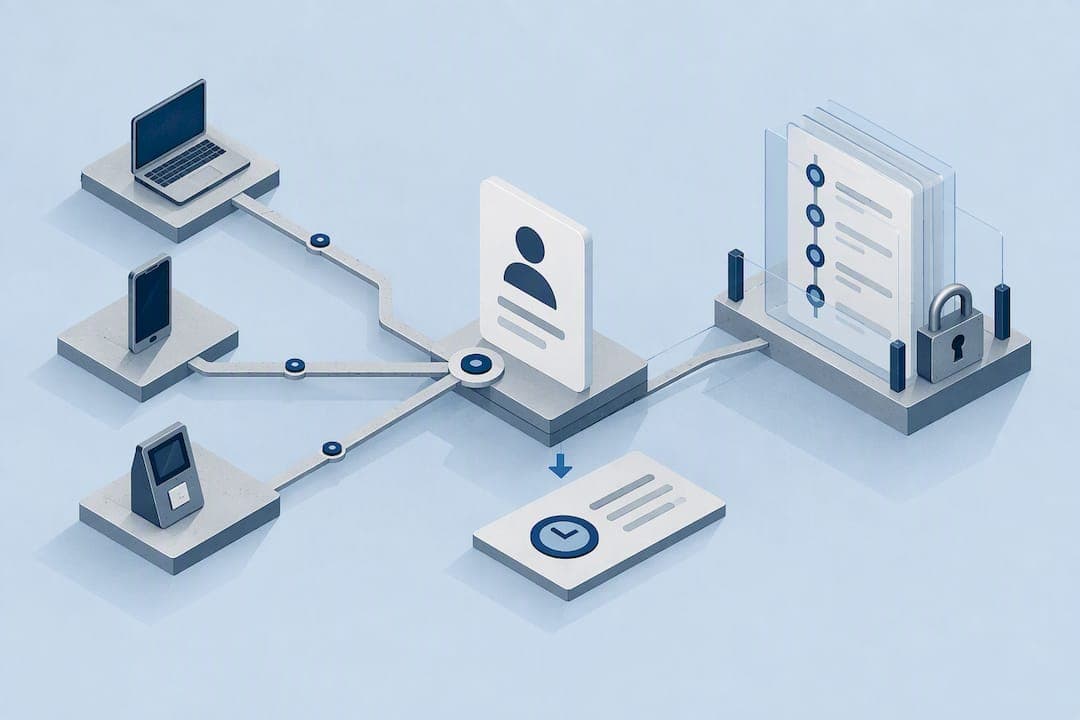
Device ID time tracking links a clock-in event to an app-scoped or system-recognized device identifier, then confirms the timestamp against a trusted server clock instead of the phone's own settings. For reliable, audit-ready records, we recommend using resettable identifiers like App Set ID or identifierForVendor rather than legacy hardware IDs, paired with server-side time verification. The sections below walk through the identifier types, the platform rules behind them, and the privacy steps that keep a rollout compliant.
TL;DR:
- Choose app scoped identifiers: Android recommends App Set ID or Firebase Installation ID, while Apple's identifierForVendor resets after the vendor's last app is removed.
- Verify every punch against trusted server or network time; when offline, store a signed timestamp and hash, then reconcile and record confirmation after connectivity returns.
- Pair each punch with an identity check and employee account, then preserve events in immutable write once logs for payroll disputes and audits.
- Check location only at clock in, explain collection and retention in a clear policy, and offer another method when law or company policy requires one.
- Pilot the system with one crew or job site for a full pay cycle, then check payroll mapping and sync alerts before expanding companywide.
Table of Contents
- Device identifiers: what they are and how they behave over time
- Platform rules and developer best practices (Android & iOS)
- How identifiers are used in time tracking systems and fraud prevention
- Timestamp integrity and offline handling (NTP, server verification, buffered punches)
- Privacy, consent and BYOD considerations for managers
- Implementation checklist: prioritized steps for managers and technical leads
- Clock-Me perspective on device-ID time tracking
- Clock-Me solutions: how the platform implements these patterns
- FAQ
- Sources
Device identifiers: what they are and how they behave over time
A device identifier is a string an app or operating system uses to recognize a device across sessions, without needing a name or phone number attached to it. Several types exist, and each behaves differently depending on what triggers a reset.
- Advertising ID: a user-resettable identifier meant for ad personalization, not a stable fit for payroll records.
- App Set ID: scoped to a developer account, persists across an app's lifecycle unless the user resets device settings.
- identifierForVendor (IDFV): Apple's identifier that stays constant while a vendor's apps remain installed and changes once all of them are removed.
- Firebase Installation ID (FID): tied to a single app installation and resets automatically on reinstall.
- IMEI and other hardware IDs: tied to the physical device itself, now tightly restricted by both major platforms.
Resets happen for different reasons: a settings change, an app reinstall, or a full factory data reset. That's why persistent hardware IDs like IMEI are locked down at the platform level: they never change, which makes them a privacy liability if misused for tracking someone across apps and companies they never agreed to be tracked by.
Platform rules and developer best practices (Android & iOS)
Android and iOS both steer developers away from permanent hardware identifiers and toward resettable, app-scoped alternatives, according to Android's identity guidance. On Android, the Advertising ID can be deleted by the user at any time, and once that happens, apps that try to read it receive a string of zeros, per Google Play's developer support page. For non-advertising purposes like fraud prevention or attendance logging, Android's developer documentation recommends App Set ID or Firebase Installation ID instead.
On iOS, Apple's developer documentation explains that identifierForVendor stays the same as long as at least one app from that vendor remains installed, and changes if every app from the vendor gets deleted and reinstalled.
- Prefer app-scoped or vendor-scoped identifiers over anything tied to the physical hardware.
- Build in logic to handle an ID reset gracefully instead of treating it as an error.
- Avoid IMEI, MAC address, or ICCID entirely for time tracking purposes.
Pro Tip: Design your clock-in system to re-link a reset device ID to the same user account automatically, so a routine app reinstall never creates a duplicate employee record.
How identifiers are used in time tracking systems and fraud prevention
A trustworthy clock-in event isn't just a timestamp and often requires effective employee device monitoring to ensure accuracy and prevent fraud. It's a small bundle of data that lets a manager verify, after the fact, that the right person punched in at the right place and time.
A typical event payload includes:
- An app-scoped device identifier tied to the employee's account.
- A server-verified timestamp, not just the number the phone reports.
- Location metadata, when geofencing is part of the policy.
- Identity verification metadata, such as a photo or biometric check at the moment of punching in.
Pairing the device identifier with an identity check closes the door on buddy punching, where one employee clocks in for another. Randomized check-ins during a shift add another layer, since a stand-in would need to repeat the identity verification at unpredictable moments, not just once at the start of a shift.
On the backend, each event gets linked to a specific user account rather than just a device, and the strongest systems write these records to immutable, write-once-read-many (WORM) logs. That matters because a record that can't be edited after the fact holds up far better in a wage dispute or an audit than a spreadsheet anyone could change. Combining identifier anomalies, like the same ID suddenly appearing under two different accounts, with location and identity flags gives managers a practical way to score and review suspicious punches instead of treating every clock-in as equally trustworthy.

Timestamp integrity and offline handling (NTP, server verification, buffered punches)
A phone's local clock is easy to change, which means it's a poor foundation for payroll records on its own. NIST's mobile ID device best practice guidance recommends verifying device time through network time synchronization or secure timestamp methods rather than trusting the device clock alone.
- Pull time from a trusted server or NTP source at the moment of the punch, not from the device's settings.
- When a device is offline, buffer the event locally with a signed timestamp and hash, then reconcile it against server time once connectivity returns.
- Record sync metadata, including when the buffered event was finally confirmed, so the audit trail shows the full chain of custody.
- Flag sudden clock jumps or repeated offline punches for manual review rather than accepting them automatically.
Pro Tip: Require at least one successful sync per shift so a buffered punch never sits unverified for days.
This approach protects both the employer and the employee: a worker who genuinely clocked in on time in a dead zone still gets credited correctly once the system reconciles the record.
Privacy, consent and BYOD considerations for managers
Bring-your-own-device policies raise real privacy questions, especially when location data enters the picture. Guidance on secure BYOD deployments from NIST points out that location services increase privacy exposure and call for documented consent and limited data collection in employer-managed scenarios.
- Collect only the identifier and metadata actually needed for payroll and audit purposes, nothing more.
- Favor event-based geofencing over continuous background tracking, so location only gets checked at the moment of a punch.
- Write a plain-language policy that tells employees exactly what gets collected, why, and for how long.
- Offer an alternative clock-in method where law or company policy requires one, rather than forcing every employee onto the same device-based flow.
A short, clear policy document does more to build trust than any amount of technical safeguarding on its own, and it gives HR a reference point when questions come up.
Implementation checklist: prioritized steps for managers and technical leads
A practical rollout follows a short sequence rather than every feature at once.
- Choose app-scoped identifiers over hardware IDs from day one.
- Require server-side time verification for every punch.
- Turn on identity verification at clock-in.
- Use event-based geofencing instead of continuous tracking.
- Enable WORM audit logs for every record.
- Run a payroll dry run before go-live to catch mapping errors early.
Pro Tip: Pilot with one crew or job site for a full pay cycle before rolling out company-wide.
Add periodic sync health checks and alerts for suspicious punches to your regular audit schedule.
Clock-Me perspective on device-ID time tracking
We built our approach around event-based geofencing and identity verification rather than continuous background monitoring, because accuracy and privacy don't have to trade off against each other. A single verified event at clock-in, backed by a tamper-resistant audit log, gives managers what they need for payroll without turning a time clock into a surveillance tool. We think that distinction will matter more, not less, as labor regulations catch up with location-aware software. Fewer data points collected, handled correctly, beat more data points handled carelessly.
— Clock-me
Clock-Me solutions: how the platform implements these patterns
We designed our solutions around the exact checklist above: GPS-verified clock-ins, identity verification at punch time, event-based geofencing instead of constant tracking, and immutable audit logs that hold up to payroll review. Random location check-ins during a shift make buddy punching far harder to pull off, and our timecard attestation and payroll export tools map directly to the implementation steps field teams need to go live without paperwork.
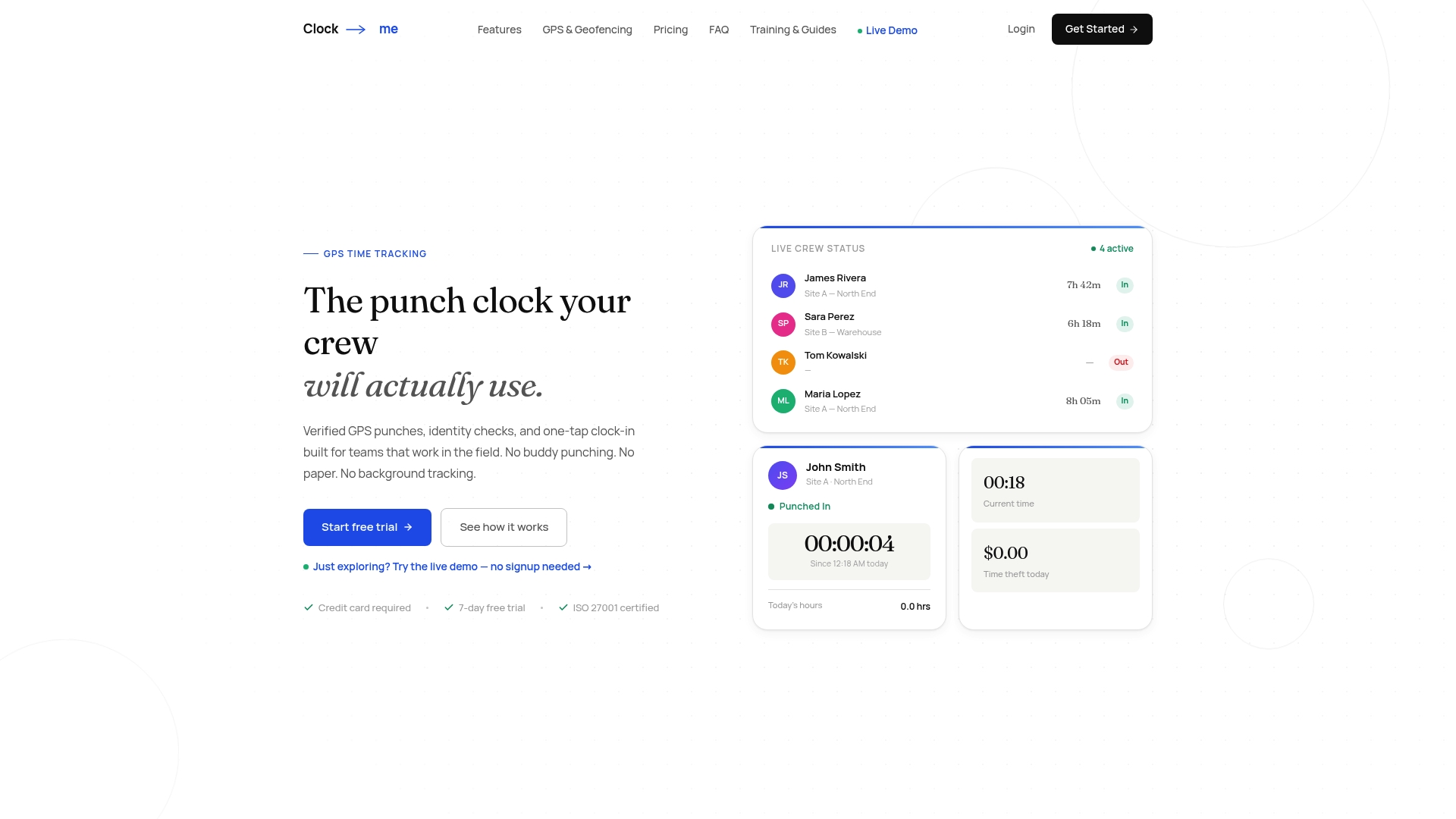
- One-tap clock-in with no paper timesheets to chase down.
- Built-in California labor law compliance features for teams that need them.
- Plans that scale from a free tier for small teams up through enterprise deployments.
If your team is still reconciling handwritten timesheets or chasing GPS spoofing, take a look at our pricing and plans and find the tier that fits your crew.
FAQ
What devices measure time?
Smartphones, tablets, and dedicated time clocks all measure time using an internal clock, but for payroll purposes that local clock isn't enough on its own. Reliable systems verify the device's reported time against a network time source or server timestamp, as NIST recommends, rather than trusting the device alone.
How to check device time on Android?
You can check an Android device's time under Settings, then Date and Time, where it shows whether the device is set to update automatically from the network. For time tracking apps, what matters more is whether the app itself verifies that time against a server, since a user can change device settings manually.
What is the mobile device ID?
A mobile device ID is a string that identifies a device or app installation, and the type matters: Android's developer guidance recommends resettable, app-scoped identifiers like App Set ID over permanent hardware identifiers like IMEI. iOS uses identifierForVendor for a similar purpose, as described in Apple's developer documentation.
What are identifiers in apps?
App identifiers are strings that let an app recognize a device or installation across sessions without using personal information like a name. Common types include Advertising ID, App Set ID, Firebase Installation ID, and identifierForVendor, each with different rules for when it resets.
Sources
- Best practices for unique identifiers | Identity | Android Developers
- Advertising ID - Play Console Help
- identifierForVendor | Apple Developer Documentation
- Mobile ID device best practice recommendation | NIST