

Every employer using vehicle or device tracking needs a written GPS tracking policy with a signed employee acknowledgment. The two non-negotiables are a documented business purpose and formal notice to employees before tracking starts. Use the section breakdown below to adapt a free editable template (Word/.docx format) in a single work session.
TL;DR:
- A GPS tracking policy must specify a legitimate business purpose, such as dispatch efficiency or theft recovery, to comply with legal and operational standards.
- Tracking should only occur during defined work hours or specific emergency situations, with clear boundaries for personal vehicle use or non-work periods.
- Data collection must exclude audio, video, or personal phone content, focusing solely on location, speed, and driving behavior to reduce employee privacy concerns.
- Access to tracking data requires role-based controls, with retention period set around 90 days and automatic deletion, especially for unrelated investigations.
- A signed acknowledgment stored in personnel files and explicit tampering consequences reinforce legal enforceability and clear employee expectations.
Table of Contents
- What Should a GPS Tracking Policy Template Include?
- Sample Clauses You Can Copy Into Your Template
- Is GPS Tracking of Employees Legal?
- How to Roll Out GPS Tracking Without a Backlash
- What Security and Retention Rules Should the Policy Require?
- Pre-Launch Compliance Checklist
- How Clock-Me Supports These Policy Controls
- Balancing Operational Needs and Employee Privacy
- Try a Policy-Aligned GPS Tracking Setup
- Sources
- FAQ
What Should a GPS Tracking Policy Template Include?
A workable GPS tracking policy template is built from eight sections. Skip one, and you leave a gap that either confuses employees or exposes the company to a privacy complaint. Here is what each section needs to say.
Purpose and business justification. State plainly why tracking exists. Dispatch efficiency, payroll accuracy, driver safety, and theft recovery are the four reasons most companies cite, and each one should map to a specific operational need, not a vague "monitoring" statement. A Florida Law Review analysis of employee tracking cases recommends limiting non-investigatory fleet tracking to legitimate business purposes with advance consent, which makes this clause the legal anchor for everything that follows.
Scope of coverage. Name the exact assets, devices, and roles covered. Company vehicles, company-issued phones and tablets, and dispatch software are the usual list. Just as important: state what's excluded. If personal vehicles used occasionally for deliveries aren't tracked, say so in writing.
Monitoring windows. This is where most policies get vague, and vague is where disputes start. Spell out whether tracking runs during scheduled work hours only, or continuously for take-home vehicles. If a driver clocks out at 5 p.m. and drives the company truck home, does tracking stop? Define the cutoff and list any emergency exceptions (a stolen vehicle report, for example).
Data collected. Location, speed, route history, and driving events (harsh braking, idling, speeding) are standard telemetry. Equally important is what the system does not collect. Audio, video, and personal phone content have no place in a location-tracking policy, and saying so removes the biggest source of employee anxiety.
Access controls. Name who can view tracking data and under what circumstances. A dispatcher checking real-time location for routing is different from HR pulling historical logs for a disciplinary review. Role-based access with an approval step for anything beyond routine dispatch use keeps the policy defensible.

Retention and deletion. Set a default retention window and a deletion schedule. Most vendor guides and HR templates converge on a 90-day default, extended only for flagged incidents under active review.
Acknowledgment and consent. Every employee subject to tracking signs a form before their first day of monitored work. Store the signed form in the personnel file, not a shared drive, and log the date it was signed.
Tampering and enforcement. Disabling, removing, or obstructing a tracking device should carry the same disciplinary weight as falsifying a timesheet. State the consequence explicitly rather than leaving it implied.
- Purpose tied to a specific operational need (dispatch, payroll, safety, theft recovery)
- Scope naming exact assets, devices, and roles, plus explicit exclusions
- Monitoring windows defined for work hours vs. take-home vehicle use
- Data collected listed by type, with audio/video/personal content excluded
- Access controls assigning who can view data and when
- Retention window with an automatic deletion schedule
- Signed acknowledgment stored in the employee's personnel file
- Tampering clause with a stated disciplinary consequence
Sample Clauses You Can Copy Into Your Template
Once the structure is set, the actual wording is what slows most HR teams down. Below are ready-to-adapt snippets for each core clause.
- Purpose clause (pick the version that fits your operation): "This policy exists to support accurate dispatch routing, verify payroll hours, protect driver and public safety, and recover company assets in the event of theft."
- Scope clause: "This policy applies to all company-owned vehicles, GPS-enabled devices issued for work use, and any personal device enrolled through the company's BYOD program. Personal vehicles not reimbursed for business mileage are excluded."
- Work-hours monitoring clause: "Tracking is active only during scheduled work hours, as recorded in the timekeeping system. Take-home vehicles are tracked continuously for theft-recovery purposes only; location data outside scheduled hours is not reviewed for any other purpose unless a vehicle is reported stolen or missing."
- Data-collected clause: "This system records location, speed, route history, and driving events including harsh braking and excessive idling. This system does not record audio, video, phone calls, or personal device activity."
- Access and retention clause: "Location data is retained for 90 days from the date of collection, after which it is automatically deleted. Records connected to an active investigation, audit, or legal claim are retained until that matter is resolved."
- Signature block: "I acknowledge that I have received, read, and understand this GPS Tracking Policy. I understand the scope, purpose, and limits of monitoring described above." Followed by a signature line, printed name, and date.
Pro Tip: For BYOD employees, add a standalone consent form separate from the main policy. Personal devices carry a different privacy expectation, and a LegalClarity review of tracking rules recommends explicit, time-bound consent language rather than folding BYOD terms into the general policy.
For audits, extend retention on a case-by-case basis rather than raising the default window company-wide. A blanket 180-day policy increases your data footprint without a corresponding business need.
Is GPS Tracking of Employees Legal?
Yes, in most cases, with the right notice and business justification. The U.S. Supreme Court's decision in City of Ontario v. Quon supports the principle that a clear, written policy is the most effective way to manage an employee's reasonable expectation of privacy on company-issued devices. That's the legal foundation this entire template rests on.
A few points employers should verify before rollout:
- State law varies. Some states require written notice or explicit acknowledgment before location monitoring begins. The National Conference of State Legislatures maintains a state-by-state summary of location-tracking statutes worth checking against your operating states.
- California has a specific statute. California Penal Code §637.7 restricts using an electronic tracking device to determine a vehicle's location without consent, and it applies regardless of whether the vehicle is company-owned.
- Investigations require narrower scope. When tracking an individual for suspected misconduct, limit monitoring to what's needed for corroboration and stop once you have it, according to the Florida Law Review analysis cited above.
- BYOD changes the calculus. Personal devices and personally owned vehicles used occasionally for work carry a higher privacy expectation than company assets, which is why a separate consent form matters.
- Retention ties to recordkeeping law. IRS and Department of Labor recordkeeping expectations for payroll and mileage substantiation can require preserving specific GPS records longer than your general retention default.
None of this replaces employment counsel. State and municipal rules shift often enough that a policy written last year may need a language update this year, particularly if you're expanding into a new state.
How to Roll Out GPS Tracking Without a Backlash
- Run a pilot with one team first. Choose a small group, train their manager thoroughly, and review the vendor contract before anyone else in the company sees the system.
- Use a script that leads with safety, not surveillance. Tell employees why tracking exists (dispatch accuracy, driver safety, theft protection) and state clearly what it doesn't capture: no audio, no video, no personal device content.
- Demo the dashboard live. Show employees what a manager actually sees, walk through a sample data export, and explain who has access and why.
- Collect signatures the same day. Digital signature tools, a portal login event, or a paper form as backup all work, as long as the date and method are logged.
- Have an accommodation plan ready for refusals. Some employees will push back. Decide in advance whether reassignment or an alternate verification method is available before the conversation happens.
Pro Tip: A live dashboard demo does more to calm nerves than any written FAQ. Seeing exactly what a manager can and can't view resolves most objections in the room, according to LegalClarity's review of rollout practices.
What Security and Retention Rules Should the Policy Require?
The policy is only as strong as the vendor contract behind it. A few non-negotiables belong in that contract, not just in the employee-facing document:
- Encryption at rest and in transit for all location data
- A defined breach notification timeline, not a vague "prompt disclosure" clause
- Audit rights so your company can verify the vendor's security posture
- Role-based access controls and multifactor authentication on the vendor platform
- An auto-purge feature that enforces your retention window without manual deletion
A 90-day default retention window is standard practice among fleet-focused HR templates, though 90 to 180 days is the practical range many operations use, extending only for flagged records tied to an active audit or claim. When a breach does happen, HR and legal need a documented notification chain: who gets told first, what gets disclosed to affected employees, and how the incident gets logged for future audits.
Pre-Launch Compliance Checklist
Run through this before flipping the system on, and again every year after that.
- Policy approval: Final policy signed off by HR and legal; all employee signatures collected and filed
- Vendor verification: Contract confirms encryption, breach notification timeline, and audit rights
- Technical setup: Access roles configured, retention schedule set, test export completed
- Data-purge test: Confirm the auto-delete feature actually removes records at the retention deadline
- Training complete: Managers briefed, employee demo delivered, FAQ distributed
- Ongoing review: Policy reviewed annually, security audited, retention purge logs checked quarterly
| Checklist Area | What to Verify | Frequency |
|---|---|---|
| Policy and signatures | All employees have signed acknowledgment on file | Before launch, then per new hire |
| Vendor contract | Encryption, breach notice, audit rights confirmed | Before launch, then at renewal |
| Access and retention | Roles configured, auto-purge tested | Before launch, then quarterly |
| Training | Manager and employee sessions completed | Before launch, then per new hire |
How Clock-Me Supports These Policy Controls
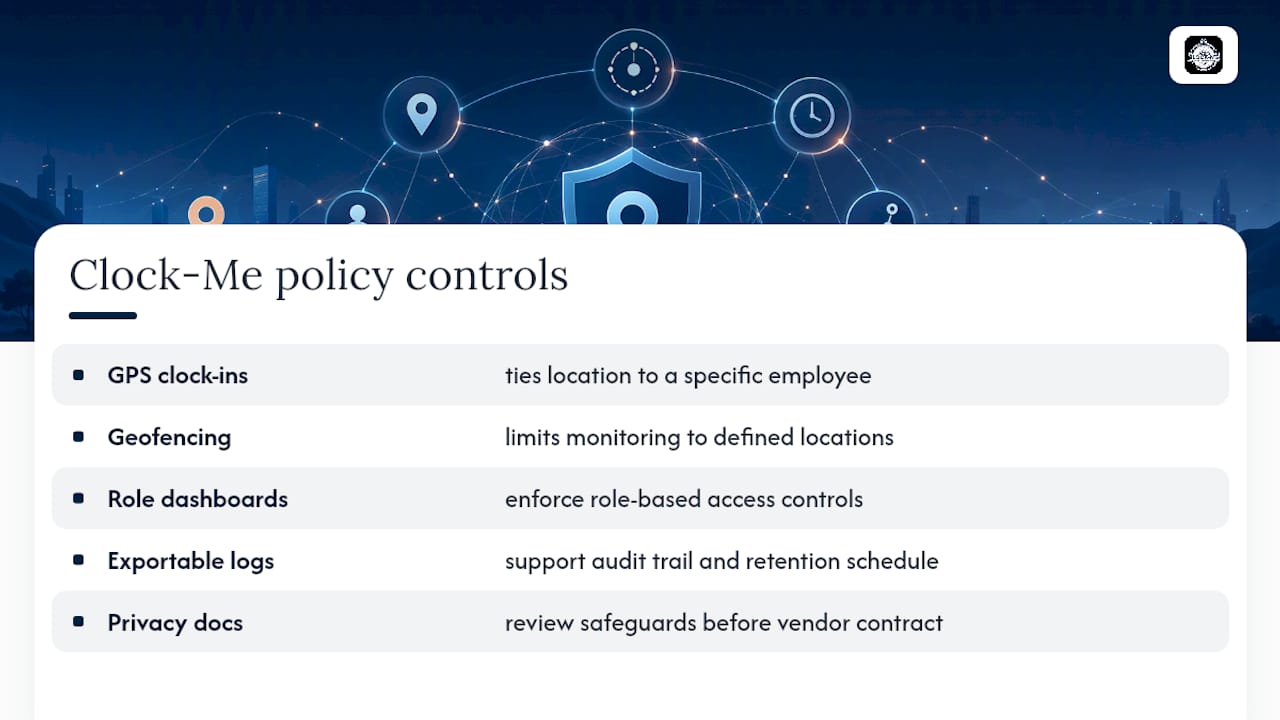
A policy is only useful if the system enforcing it actually matches what you wrote down. Clock-Me's GPS-verified clock-ins and identity verification tie location data directly to a specific employee, which keeps your data-collected clause accurate rather than aspirational. Geofencing lets you define exactly where monitoring windows apply, and role-based dashboards enforce the access-control clause instead of leaving it as a written promise.
For the audit trail your policy requires, exportable logs and configurable retention settings support the schedule you set in the template. Before finalizing any vendor contract clause, review Clock-Me's privacy policy and Data Safety Summary to confirm the safeguards match what your procurement checklist requires.
Balancing Operational Needs and Employee Privacy
Clear policies do more legal work than most employers expect. A signed acknowledgment and a plainly stated purpose clause resolve disputes before they escalate, largely because there's no ambiguity for either side to argue about.
The instinct to collect and keep everything "just in case" is the wrong one. Minimal necessary retention and transparent access rules protect the company as much as the employee, since a smaller data footprint means less exposure if something goes wrong. Complex cases involving BYOD or multi-state fleets still deserve a real conversation with employment counsel. Templates get you most of the way there, but they don't replace jurisdiction-specific judgment.
— Clock-me
Try a Policy-Aligned GPS Tracking Setup
Clock-me gives HR teams the technical side of the policy you just built, without the paperwork that usually slows down a rollout. GPS-verified clock-ins confirm exactly where and when an employee started work, geofencing keeps monitoring windows tied to defined job sites, and role-based dashboards enforce who can see location data without extra configuration work.
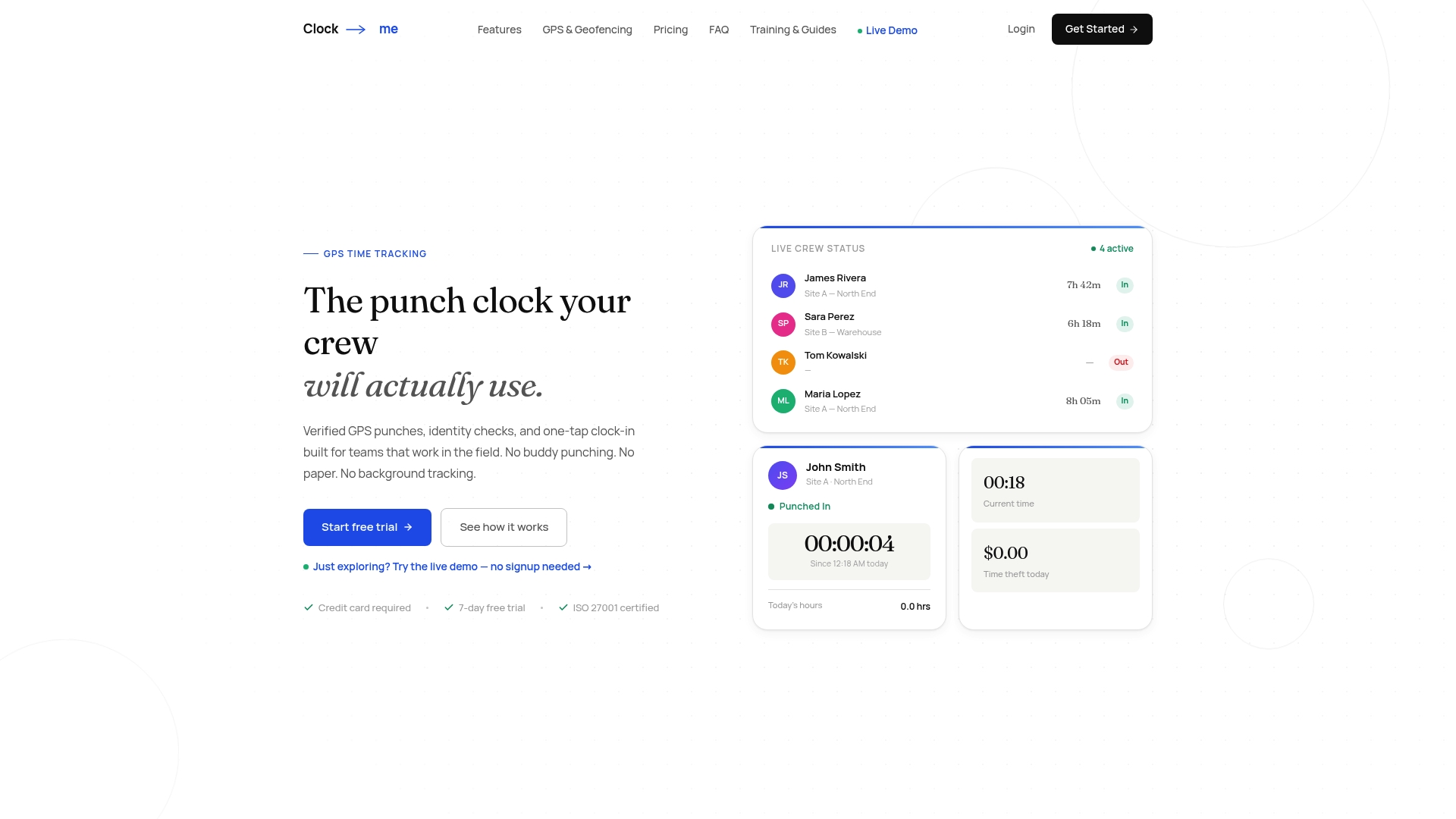
If your policy calls for exportable logs during an audit or a specific retention schedule, those controls live directly in the platform rather than in a separate system you have to reconcile. Explore the solutions page to see plans starting with a free tier for small teams, or walk through the setup guide to configure geofencing and access roles before your policy goes live. For larger fleets, Corporate and Enterprise plans add the audit and access depth multi-location operations typically need.
Sources
- City of Ontario v. Quon — U.S. Supreme Court (summary at Legal Information Institute)
- GPS and cell phone tracking of employees — Florida Law Review article
- National Conference of State Legislatures — Private use of location-tracking devices: state statutes
- California Penal Code §637.7 — privacy statute
- Employee GPS Tracking Policy Template — Spytec (2026)
FAQ
Is a Signed Acknowledgment Legally Required for GPS Tracking?
It's not universally mandated, but it's the strongest protection an employer has. Courts have pointed to written policy as the clearest way to manage privacy expectations, as established in City of Ontario v. Quon, and some states legally require written notice before monitoring begins.
How Long Should Companies Retain GPS Tracking Data?
Most fleet-focused templates recommend a 90-day default, extended only for records tied to an active investigation, audit, or legal claim. IRS and Department of Labor recordkeeping expectations may require preserving specific mileage or payroll-related records longer than your general default.
Can Employers Track Employees on Personal Vehicles or Devices?
Only with explicit, separate consent that accounts for the different privacy expectation personal property carries. A standalone BYOD consent form with clear time limits on monitoring is standard practice, distinct from the main company-asset policy.
Does Clock-Me Support GPS Tracking Policy Compliance?
Yes. Clock-Me's geofencing, role-based access, and identity verification features are built to enforce the same scope, access, and monitoring-window controls a written GPS tracking policy requires. Current pricing details, including available plans, can be found on the solutions page.
What Should a Policy Say About Tampering With a Tracking Device?
State the consequence directly rather than leaving it implied: disabling, removing, or obstructing a company tracking device should carry the same disciplinary weight as falsifying a timesheet. Naming the consequence in writing, rather than assuming it's understood, is what makes the clause enforceable.