

GPS time tracking cuts attendance errors and speeds up payroll by tying every clock-in to a verified timestamp and location. Federal recordkeeping rules under the eCFR require employers to keep accurate hours-worked records, and internal data shows construction teams reach reliable, accurate hours by week four of using an event-based tracking system. The underlying tech, GNSS satellite positioning, makes this level of accuracy possible.
TL;DR:
- Location is recorded only at clock in and clock out, while geofences can block or flag punches outside a job site.
- A location stamp alone cannot confirm who used the phone, so choose identity checks, fake GPS detection, and audit ready payroll exports.
- Federal rules require accurate start and stop records, and minute level timestamps avoid rounding, which is lawful only when it does not systematically favor employers.
- Pilot one crew for two to four weeks, configure geofences and payroll fields first, then compare a parallel dry run with manual timecards.
Table of Contents
- Benefits Explained: Attendance Accuracy, Payroll, and Oversight
- How GPS Time Tracking Works: Events, Geofences, and Accuracy Limits
- Core Features That Deliver These Benefits
- Compliance and Payroll Recordkeeping
- Privacy and Adoption: Earning Trust Before You Flip the Switch
- Implementation Checklist: From Pilot to Full Rollout
- Industries and Use Cases Where This Matters Most
- Clock-Me Proof Points From Field Deployments
- When Adoption Makes Sense and What to Watch For
- See How Clock-Me Puts This Into Practice
- FAQ
- Sources
Benefits Explained: Attendance Accuracy, Payroll, and Oversight
Once clock-ins carry a timestamp and a location, buddy punching becomes hard to pull off. A coworker cannot clock in for someone who is not physically on-site, because each event-based punch attaches coordinates to the record the moment it happens.
That single change ripples through payroll. Fewer disputed hours mean fewer manual edits, and when every punch is already tied to a job site, approvals move faster. Payroll teams also get cleaner export formats, so hours flow into existing payroll software without re-keying data.
On the operations side, map-based visibility lets managers see who is on which site in real time, confirm job-site arrival for billing purposes, and close out invoicing cycles sooner because the hours are already verified.
We often hear from managers tracking these metrics after adoption:
- Reduction in the number of payroll adjustments per pay period.
- Fewer administrative hours spent reconciling timecards.
- Faster time from job completion to invoice.
- Drop in disputed hours flagged by employees or supervisors.
Pro Tip: Track your payroll adjustment count for one full cycle before rollout, then compare it to the first cycle after launch. The difference is the clearest proof of value you'll get.
Precise, audit-ready time records can also reduce reliance on rounding, since the U.S. Department of Labor's FLSA guidance only permits rounding practices that stay neutral over time, and minute-level logs sidestep that complexity entirely.
How GPS Time Tracking Works: Events, Geofences, and Accuracy Limits
Most systems built for field teams use event-based recording rather than continuous tracking. That means a location is captured only at the moment someone clocks in or out, not throughout the entire shift. The record pairs a timestamp with coordinates, giving you a verifiable snapshot instead of a constant feed of movement data.
Geofencing adds a boundary around a job site. Depending on configuration, a punch made outside the allowed radius can be blocked outright or flagged for manager review, with a map view showing exactly where the attempt occurred.
Accuracy has real limits worth knowing before you set expectations:
- Consumer-grade GPS devices can show wide-ranging error rates, including very high errors in some field conditions, according to a SARE field study on wearable GPS accuracy.
- Multi-constellation GNSS support, as described in a Forbes piece on GNSS, improves positioning reliability compared to relying on a single satellite system.
- Pairing GNSS-capable devices with geofence check-ins helps offset weak signal conditions on dense job sites.
Core Features That Deliver These Benefits
Not every GPS tool on the market delivers the same payoff. A handful of features separate systems that genuinely improve attendance accuracy from ones that just log a location.
- Verified clock-ins pair a GPS coordinate with identity confirmation, so you know who clocked in, not just where the device was.
- Geofencing restricts valid punches to defined job-site boundaries and flags anything outside that range.
- Audit-ready logs and map exports give payroll and HR teams a record they can hand over during a dispute or audit without reconstructing anything manually.
- Fake-GPS detection, covered in more depth in a write-up on on-device and server-side checks, catches location-spoofing attempts before they corrupt payroll data.
Identity verification matters most where payroll integrity is concerned: a location stamp alone proves where a phone was, not who used it.
Compliance and Payroll Recordkeeping
Federal rules set the floor here. Under 29 CFR Part 516, employers must retain accurate records of hours worked, including start and stop times, and rounding is only acceptable when it does not systematically favor the employer. Minute-level GPS timestamps remove the need for rounding altogether, since there is no gap between the actual clock-in moment and what gets recorded.
That precision also lowers audit risk. When a wage claim or audit surfaces, a time record backed by location data and an exact timestamp is harder to dispute than a handwritten or manually adjusted entry.
Payroll teams typically need a specific set of export fields to make this work smoothly:
- Employee ID and job code tied to each shift.
- Exact clock-in and clock-out timestamps.
- Location coordinates confirming job-site presence.
- Any flagged exceptions requiring manager sign-off.
A guide to mapping payroll export fields walks through how to align these fields with existing payroll software before go-live.
One figure worth planning around: immediate, verified pay records can influence how consistently people show up and work, according to a behavioral economics study from UCLA, which found that flexible, transparent pay information affects labor supply.
Privacy and Adoption: Earning Trust Before You Flip the Switch
The biggest source of employee pushback is not GPS tracking itself. It is the fear of being watched constantly. Event-based tracking addresses that directly, since location only gets captured at clock-in and clock-out, not throughout the shift.
A short adoption checklist keeps the rollout smooth:
- Write a clear policy stating what gets tracked, when, and why.
- Give written notice before launch, not after.
- Train supervisors first so they can answer employee questions accurately.
- Run a short pilot with one team before expanding company-wide.
A GPS tracking policy template can shorten this step considerably, and a deeper look at event-based versus continuous tracking explains how to set retention limits and control who can view location data and for how long.
Implementation Checklist: From Pilot to Full Rollout
Rolling out GPS time tracking works best in stages rather than all at once.
- Run a two-to-four-week pilot with one crew or location; construction teams typically reach accurate, reliable hours by week four.
- Configure geofences and ID verification for each job site before the pilot starts.
- Map payroll export fields so timestamps and location data land correctly in your payroll software.
- Run a dry-run payroll cycle, comparing GPS-based hours against manual timecards to catch discrepancies early.
- Train staff on the clock-in process and set up exception workflows for flagged punches.
- Expand to full rollout, with a regular reporting cadence for reviewing flagged exceptions.
Pro Tip: Keep your dry-run payroll cycle running in parallel with the old method for one full pay period. Reconciling the two side by side catches setup errors before they hit a real paycheck.
Industries and Use Cases Where This Matters Most
Field-based work is where GPS time tracking earns its keep fastest.
- Construction and trades benefit from certified hours across multiple sites and crews working under different job codes.
- Field service and home health rely on client-visit verification, which also speeds up invoicing once a visit is confirmed.
- Delivery and logistics teams use route verification and idle-time tracking to spot inefficiencies between stops.
Each of these industries maps a different feature set to its core problem: construction leans on geofencing and job codes, home health leans on visit verification, and logistics leans on idle-time reporting.
Clock-Me Proof Points From Field Deployments
Our platform builds on the same mechanics covered above: verified GPS clock-ins, identity checks, event-based geofencing, and audit-ready exports for payroll teams. In construction deployments, teams using our system consistently reach accurate hours by week four once geofences and ID verification are configured correctly. We also maintain a GPS tracking policy template and integration guides to help HR and payroll teams move through setup without starting from a blank page.
When Adoption Makes Sense and What to Watch For
GPS time tracking pays off fastest when your team is highly mobile, payroll disputes come up often, or you manage multiple job sites at once. If none of those apply, the investment matters less.
One caution: choose a platform built on event-based tracking and GNSS-capable devices. Continuous tracking invites privacy complaints, and weak single-constellation GPS invites accuracy disputes you don't need.
— Clock-me
See How Clock-Me Puts This Into Practice
Our platform includes features like verified GPS clock-ins, event-based geofencing, identity checks, and payroll-ready exports.
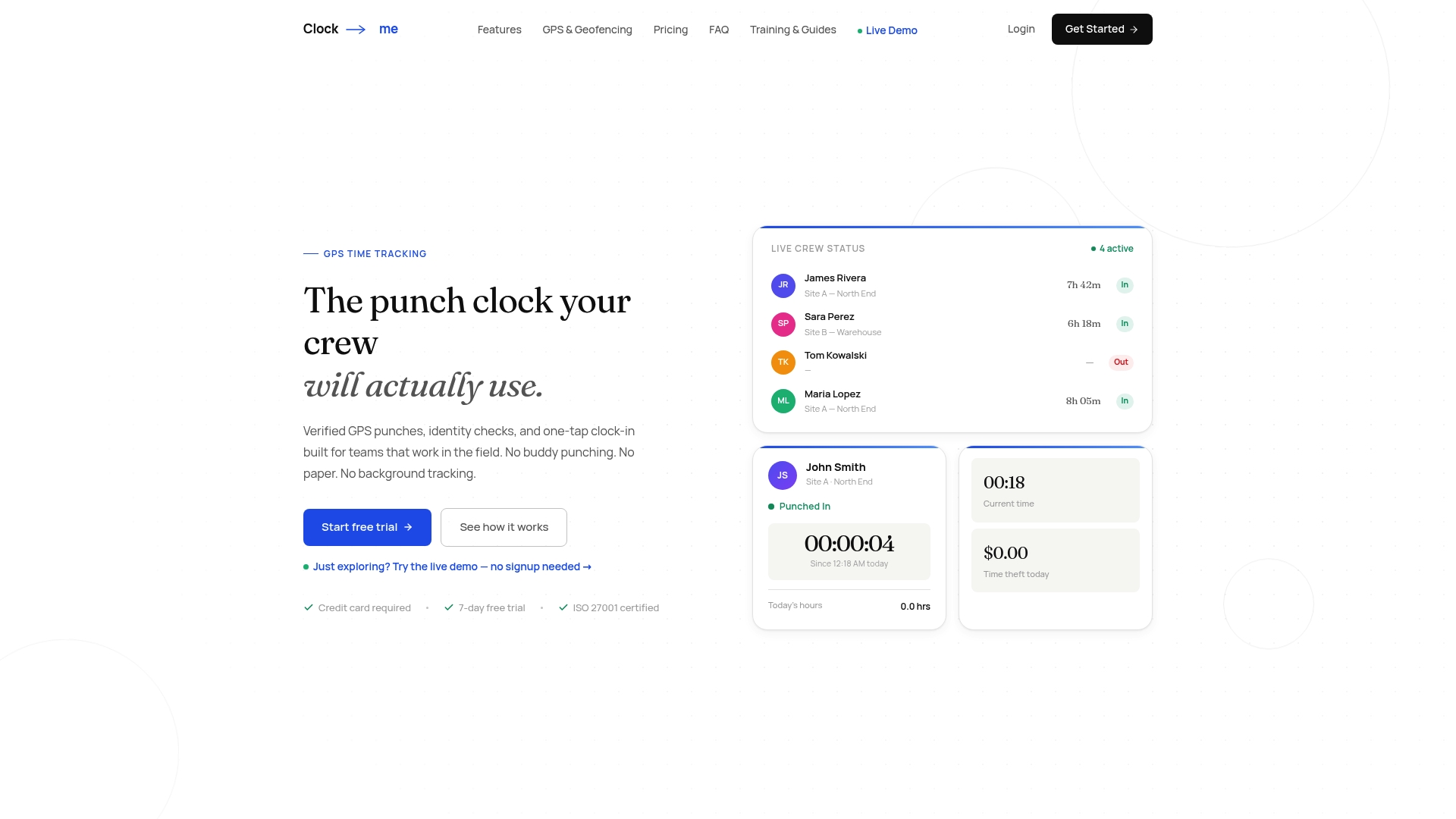
- One-tap clock-ins verified by location and identity.
- Geofencing that flags or blocks punches outside job-site boundaries.
- Payroll exports mapped to commonly used fields.
- Compliance features to support labor law requirements.
For a walkthrough of payroll setup, our guide to mapping payroll fields and running a dry run is a solid next step. Compare plans, including our Free tier and paid options starting at $31.99 per month, on our solutions page.
If your team runs vehicles or equipment across sites, a device-based option like Moto Watchdog's fleet telematics can complement location tracking for assets themselves, while our platform handles verified attendance and payroll for the people doing the work.
FAQ
Does GPS data include time?
Yes, GPS time tracking pairs a location coordinate with an exact timestamp at the moment of each clock-in or clock-out event. This combination is what allows payroll teams to verify both where and when a shift started or ended.
Do you have to pay a monthly fee for a GPS tracker?
Pricing depends on the platform and plan you choose. Our own plans range from a Free tier for small teams to paid tiers starting at $31.99 per month, with higher tiers for larger organizations listed on our solutions page.
Why is time tracking important?
Accurate time tracking keeps payroll correct, supports compliance with recordkeeping rules like those in the eCFR, and reduces disputes over hours worked. It also gives managers visibility into attendance and job-site activity without manual paperwork.
What is the 7 minute rule for time keeping?
The common rounding practice called the '7 minute rule' means time is rounded to the nearest quarter hour, with some minutes allowed to round down and the rest to round up. Federal guidance from the FLSA only permits this when the rounding does not consistently shortchange employees over time, and minute-level GPS timestamps can remove the need for rounding altogether.
Sources
- eCFR: 29 CFR Part 516 — General requirements
- elaws - FLSA Hours Worked Advisor — U.S. Department of Labor
- Final report for GNE19-218 — SARE project (GNSS/GPS accuracy study)
- The critical role of GNSS in today's business ecosystems — Forbes
- Behavioral economics study on pay flexibility and labor supply (Anderson/UCLA)