
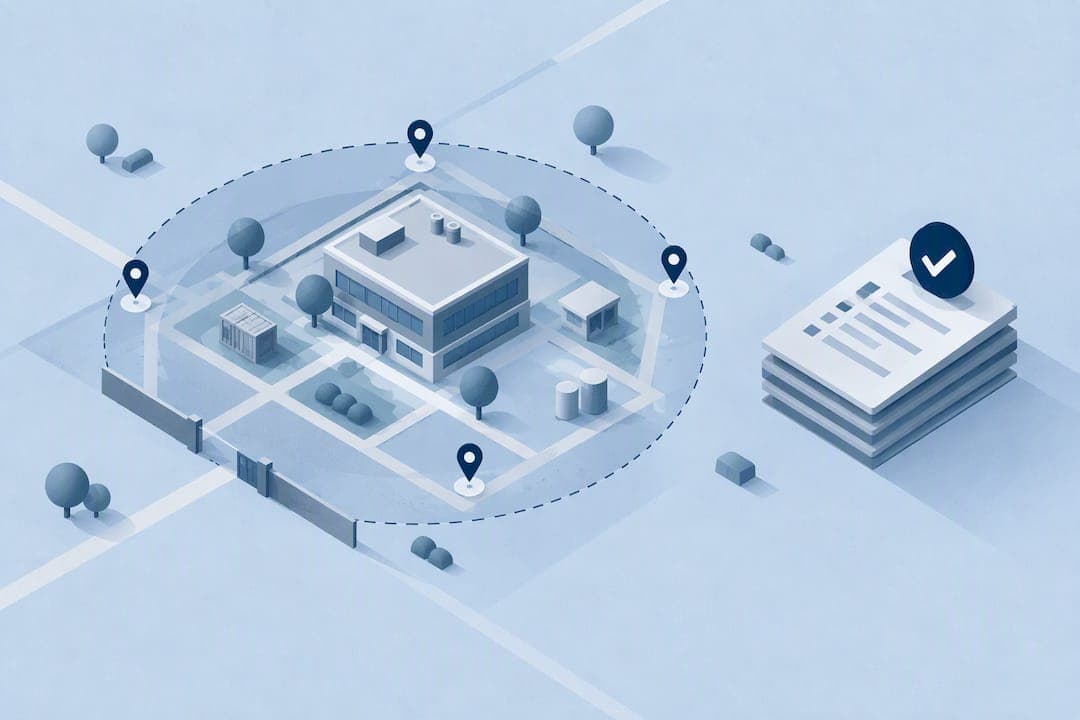
Random employee check-ins are randomized GPS and location verification prompts that confirm a field worker's presence and identity at an unpredictable moment, not scheduled one-on-one meetings about performance. They give you verified, fraud-resistant attendance records, but only when you pair them with multi-factor verification, a documented data protection impact assessment, and clear advance notice to your team.
TL;DR:
- GPS geofences need calibration through site testing to ensure an acceptable tolerance, typically between 50 and 150 meters, depending on GPS reception.
- Combining geolocation with device attestation and tamper-resistant timestamps enhances security against proxy attendance and device spoofing.
- Legal compliance requires conducting a data protection impact assessment, providing advance notice, and setting clear data retention and access policies before deployment.
- A phased rollout involving site-specific tests, multi-factor verification, and human oversight is essential to ensure accuracy and fairness in a large-scale implementation.
- Transparency and regular communication with employees, including dispute resolution and revisiting policies periodically, help sustain trust and system integrity.
Table of Contents
- How Randomized GPS Check-Ins Actually Work
- What Randomized Check-Ins Solve, and Where They Fall Short
- Your Legal and Privacy Checklist Before You Flip the Switch
- Rolling Out From Pilot to Full Deployment
- The Technology Controls Worth Requiring From Any Platform
- Getting the Rollout Right With Your People
- Handling Employee Concerns and Complaints
- Setting Frequency and Timing That Don't Disrupt the Work
- Connecting Check-In Data to Your Broader HR Systems
- Communicating Transparently to Keep Employee Trust
- Our Take on Where Compliance Programs Actually Fail
- Get Started With Clock-Me
- FAQ
- Sources
How Randomized GPS Check-Ins Actually Work
A randomized check-in system combines two layers: a geofence and a random prompt schedule. The geofence is a virtual boundary around a job site, typically set between 50 and 150 meters depending on the site's size and GPS reception, and it needs calibration through an on-site walk test before you trust it for payroll decisions, a step documented in a GPS attendance deployment that found empirical tolerance testing reduced operational failures.
On top of the geofence sits the randomization logic: instead of asking for a check-in only at shift start and end, the system fires prompts at unpredictable intervals within the shift window. This makes it much harder for a worker to arrange coverage for a single predictable punch.
Each event bundles three things into one verifiable record:
- GPS coordinates confirming the worker is inside the approved geofence
- A tamper-resistant timestamp that cannot be edited after the fact
- Device attestation data confirming the check-in came from the registered device, not a shared or spoofed one
What Randomized Check-Ins Solve, and Where They Fall Short
The operational case for randomized check-ins is strong where the technology has been tested. One institutional deployment found that switching to GPS-based geofenced check-ins cut per-session processing time from minutes down to under 15 seconds while increasing how often attendance was captured per session.
A GPS geofencing deployment reported processing times falling from minutes to under a few moments per session, according to research on an automated attendance system built on common low-cost platforms, which also found the approach required no specialized hardware.
Security gains follow the same logic: single-factor systems like RFID badges or QR codes remain vulnerable to proxy attendance, where one worker checks in for another. Research comparing attendance verification methods found that multifactor approaches combining geolocation with device or biometric verification reduce that risk compared with single-factor systems.
The limits are real and worth planning around before launch:
- GPS drift near tall buildings or dense tree cover can place a worker outside the geofence even when they're on site.
- Indoor coverage is often weak or absent, which matters for warehouse or basement work.
- Device spoofing tools exist, which is why device attestation and identity checks matter as much as the coordinates themselves.
Your Legal and Privacy Checklist Before You Flip the Switch
Before any randomized check-in goes live, work through a Copilot data privacy checklist rather than treating it as an afterthought.
- Run a data protection impact assessment (DPIA). Regulatory guidance on monitoring workers recommends a DPIA for systematic location monitoring, covering a description of the processing, a necessity and proportionality assessment, risks to employees, and mitigation steps like access limits and retention caps.
- Document a legitimate-interest balancing test instead of relying on consent. The same guidance notes that employers generally cannot rely on employee consent for workplace tracking because of the power imbalance in the employment relationship, so a written balancing test carries the legal weight instead.
- Send a plain-language advance notice. Legislative trends in California, reflected in proposed bill text, point toward requiring advance written notice, with 30 days cited in current proposed language, before introducing a geolocation-based workplace tracker.
- Set retention limits and access controls. Decide upfront how long location logs live and who can see them, and write both into policy before rollout.
- Guard against function creep. Data collected for attendance should not quietly become a performance monitoring tool without new justification and a fresh notice to employees.
Pro Tip: Keep your DPIA and notice as living documents. Review them whenever you change geofence radius, prompt frequency, or who has dashboard access.
Rolling Out From Pilot to Full Deployment
A phased rollout keeps both compliance and operations on track. Follow this sequence:
- Define scope and stakeholders. Decide which sites and roles are covered, then record your legitimate-interest balancing test with HR and legal sign-off before building anything.
- Set your geofence and randomization window. Start with a radius sized to the site (50 to 150 meters is a common starting range) and a prompt frequency that fits shift length without feeling intrusive.
- Run field tolerance tests. Walk the actual site boundaries with a small sample group to confirm the geofence matches real-world GPS reception before trusting it for payroll.
- Require multi-factor verification at check-in. Combine device attestation with a photo or identity check, and make sure every event writes to a tamper-resistant log.
- Connect logs to payroll with human oversight rules. Automated geolocation triggers do not replace the employer's duty to capture compensable time, a point made in federal guidance on automated workplace systems, which flags travel and offsite tasks as common gaps. Build a manual review step for any check-in that falls outside the geofence but may still reflect compensable work.
- Track pilot metrics before scaling. Watch failed-attempt rates, processing time reduction, and dispute rates during the pilot, and set clear roll-forward criteria before expanding to additional sites.
Pro Tip: Treat your first two weeks as a calibration period, not a launch. Expect to adjust geofence radius or prompt timing at least once before the numbers settle.
The Technology Controls Worth Requiring From Any Platform
A few non-negotiable technical requirements protect both your organization and your employees.
- Encrypted transmission and storage for all location data, with role-based access so only the people who need to see attendance records can see them.
- Tamper-resistant timestamps on every event, paired with failed-attempt logs and an exportable audit trail you can produce if a dispute or audit arises.
- Identity verification at the point of check-in, whether through a photo match or device attestation, each with its own trade-off: photo checks confirm the right person but add a step to the worker's day, while device attestation is faster but assumes the device itself hasn't been compromised.
These controls are not optional extras. They are what separates a defensible attendance record from a data set that collapses under the first legal challenge or payroll audit.
Getting the Rollout Right With Your People
The technical build is only half the job. How you introduce randomized check-ins determines whether your team trusts the system or fights it.
- Write the advance notice in plain language. State what gets tracked, when, why, and who can see it, consistent with the notice-first approach reflected in current California legislative language.
- Train supervisors on privacy switches. If your platform offers an off-duty or private-use toggle, make sure every manager knows how it works and when employees should use it.
- Investigate disputes with a consistent process. Pull the logs, interview the employee, and check for corroborating evidence like photos or task records before drawing a conclusion.
- Review the policy on a set schedule. A quarterly or annual review keeps the program from drifting into uses it was never approved for.
Pro Tip: Log every dispute resolution, even the minor ones. A pattern of resolved disputes is strong evidence of good faith if your program is ever challenged.
Handling Employee Concerns and Complaints
Expect pushback, and plan for it rather than treating every complaint as resistance to change. Most concerns fall into a few predictable categories: fear of being tracked outside work hours, worry that a single missed geofence will trigger discipline, and general discomfort with being monitored at all.
Give employees a named contact and a clear channel for raising concerns, separate from their direct supervisor if possible, so people don't feel like complaining about the tracking system means complaining to the person who controls their schedule.
When a complaint comes in, treat it as a data point, not a problem to dismiss. If several employees flag the same geofence boundary as unreliable, that's a calibration issue, not an attitude problem. If someone raises a privacy concern about off-hours tracking, that's a chance to confirm your privacy switch training actually worked.
Document every complaint and its resolution. This record does double duty: it shows good faith if your program is ever scrutinized, and it gives you a real signal for where the system needs adjustment. A program that generates complaints and ignores them erodes trust fast. One that visibly responds, by adjusting a geofence, clarifying a notice, or fixing a false-flag pattern, tends to earn tolerance even from skeptical employees.

Setting Frequency and Timing That Don't Disrupt the Work
There's no single correct number of check-ins per shift. The right frequency depends on shift length, the nature of the work, and how much disruption a prompt causes in the moment.
A prompt that interrupts someone mid-task on a ladder or mid-conversation with a client causes more friction than one timed for a natural pause. Favor randomized windows within broader time blocks, for example, one prompt sometime in the first half of a shift and another sometime in the second half, rather than a fixed interval every 90 minutes that workers can learn to anticipate.

Avoid clustering prompts near shift start and end only. That pattern looks like randomization but functions like two scheduled punches, which reintroduces the proxy attendance risk the system is meant to prevent.
Review your frequency settings against your pilot data. If failed attempts spike during specific activities, like driving between job sites, that's a signal to exclude those windows rather than treating every failure as a compliance issue.
Connecting Check-In Data to Your Broader HR Systems
Randomized check-in data earns its full value when it stops living in isolation and feeds into the systems you already use for payroll, scheduling, and performance tracking.
The most direct connection is payroll: verified check-in timestamps should flow into timesheet approval so processing doesn't require manual cross-referencing. That same data, paired with human oversight for offsite and travel time, closes the gap federal guidance on automated workplace systems flags as a common wage-and-hour risk.
Be more careful connecting check-in data to performance management. Attendance verification was collected for one purpose: confirming presence and preventing fraud. Repurposing it as a performance metric without new notice and justification runs into the function creep problem regulatory guidance warns against. If you want to use check-in reliability as part of a broader performance conversation, say so explicitly in your policy and notice before you do it, not after.
Communicating Transparently to Keep Employee Trust
Every technical and legal safeguard in this guide depends on one thing: employees believing the system is being used the way you said it would be.
Transparency starts before launch, not after a complaint. Share what's being tracked, why, who can see it, and how long it's kept, in the same plain language your advance notice uses. Avoid vague language like "monitoring for compliance purposes" when you can be specific about what that means in practice.
Keep communication going after launch. A short reminder at 30 and 90 days, covering what the data has shown so far and any adjustments made, does more to build trust than a single notice sent once and forgotten. Where possible, let employees see their own check-in history, since visibility into your own record is one of the simplest ways to defuse suspicion about a system you can't otherwise see inside.
Our Take on Where Compliance Programs Actually Fail
Most randomized check-in programs don't fail on technology. They fail on sequencing: teams configure the geofence and ship it, then write the privacy notice after employees have already started complaining. A DPIA done after launch is damage control, not compliance. The programs that hold up under scrutiny are the ones that treat the legal paperwork as the first build step, not the last one, and that keep adjusting geofence and frequency settings based on real dispute data instead of assuming the initial configuration was right.
— Clock-me
Get Started With Clock-Me
We built Clock-Me's GPS-verified check-ins, geofencing, and identity verification specifically for field teams that need attendance records strong enough to survive a payroll audit or a legal challenge. The setup involves no paperwork or continuous background tracking, and the clock-in process is designed to be quick and simple for users.
If you're ready to pilot a compliant randomized check-in program, our setup guide walks through configuration in minutes, and our data safety summary lays out exactly what we collect and how we protect it. Start a pilot and obtain verified attendance data promptly.
This article is general information, not a substitute for advice from a qualified lawyer. Consult a qualified legal professional about your own circumstances before acting on anything here.
FAQ
What makes a GPS check-in legally defensible?
A defensible check-in combines multi-factor verification, a documented DPIA, and advance employee notice rather than relying on GPS data alone. Regulatory guidance on monitoring workers recommends a legitimate-interest balancing test over employee consent for this kind of systematic tracking.
How wide should a geofence radius be?
Geofence radii commonly run between 50 and 150 meters depending on site size and GPS reception, but the right number for any specific site should come from a walk test, not a default setting. Operational deployment data shows calibration through field testing reduces failures compared with an untested default.
Does random GPS tracking count as compensable time?
The check-in itself typically isn't the issue; the risk is automated systems missing compensable travel or offsite work. Federal guidance on automated workplace systems notes that employers remain responsible for capturing that time even when the tracking is automated, so human oversight rules are necessary alongside the technology.
What does Clock-Me cost to implement?
Clock-Me offers a Free plan, along with paid tiers starting at the Starter plan at $31.99 per month, scaling up through Growth, Business, Pro, and Corporate tiers, with Enterprise pricing available on request.
Can employees refuse to be tracked outside work hours?
Yes, a well-designed program includes a privacy switch for off-duty use, and guidance on employer vehicle tracking specifically recommends this kind of control to limit privacy risk during private use.
Sources
- SmartTasjeel: A GPS-Based Automated Attendance Tracking System for Medical Education Built on Microsoft PowerApps
- EXA research on attendance system vulnerabilities
- Data protection and monitoring workers | ICO
- Field Assistance Bulletin No. 2024-1: Artificial Intelligence and Automated Systems in the Workplace
- California proposed bill AB-1221 text