
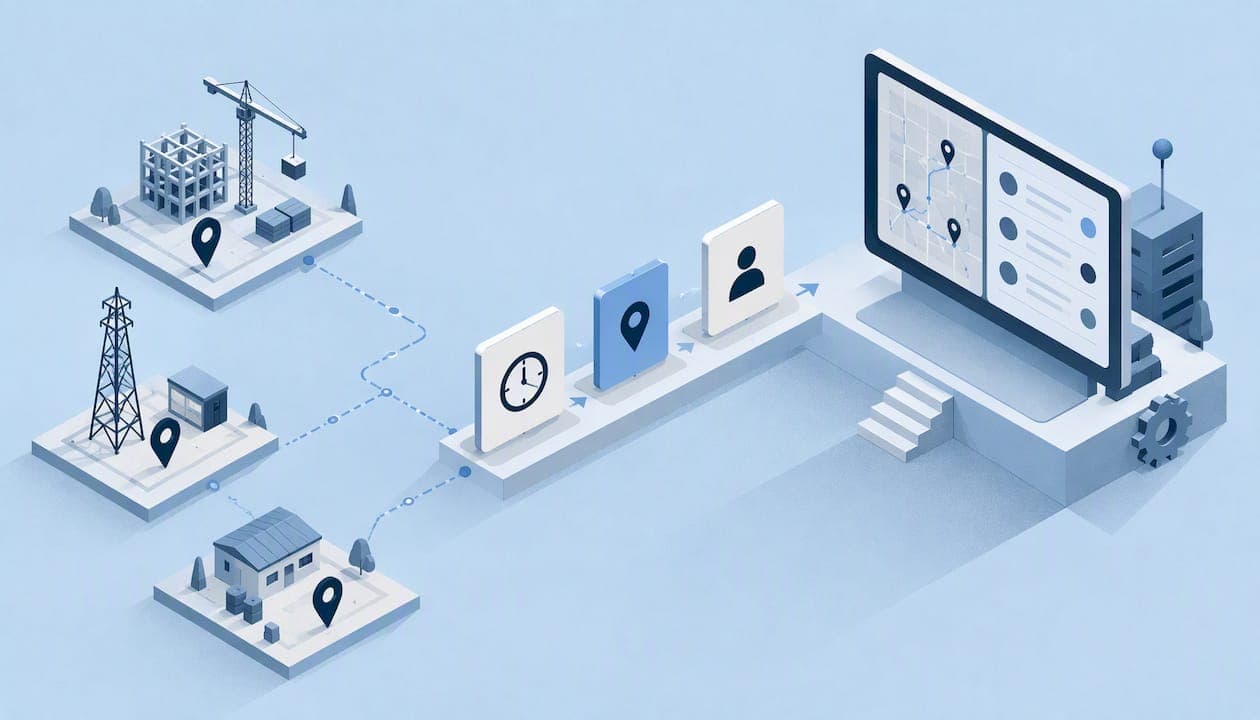
Real-time attendance monitoring means you see who has clocked in, where, and when, as it happens, instead of reconciling paper sheets or text messages at the end of the week. For teams that work away from the office, the useful version does three things: it verifies that the right person punched in, it checks that the punch happened at the right place, and it shows managers a live view without tracking anyone every minute of the day.
This guide explains how the technology works, what to look for, where the legal lines sit in the US (with California as the strictest common case), and how to introduce it so your crew accepts it.
TL;DR
- Real-time attendance monitoring records clock-ins and clock-outs the moment they happen and shows them on a live dashboard.
- For field teams, a punch is only trustworthy when it is tied to a verified person and a verified place. Time alone proves nothing.
- Event-based location checks (at clock-in, clock-out and occasional spot checks) give managers what they need without continuous tracking, which lowers privacy and legal risk.
- In California, accurate daily time records for non-exempt employees are a legal requirement, so your system must produce records you can retain and hand over.
- Roll it out by telling employees what is collected, why, and how it is used. Adoption fails when it feels like surveillance.
Table of Contents
- What real-time attendance monitoring actually is
- Why time alone is not enough in the field
- What a good system shows you
- Compliance: what the law expects from your records
- Monitoring without overreaching
- Our perspective
- Choosing a system: a short checklist
- What it costs
- Rolling it out so people accept it
- Where Clock-Me fits
- FAQ
- Sources
What real-time attendance monitoring actually is
A traditional timesheet is a record of what someone says happened. A real-time system is a record of what the device captured when it happened. The employee taps a button on a phone, the app stamps the time, attaches location and identity signals, and sends it to a dashboard your supervisors can open immediately.
The practical difference shows up on a normal Tuesday morning. Instead of calling three crew leads to ask who is on site, you open one screen. Late arrivals, missing punches and people clocked in at the wrong address are visible while you can still do something about them, not after payroll has closed.
Most systems combine a few building blocks:
- Clock-in and clock-out events from a mobile app, kiosk or browser.
- Location verification, usually GPS, to confirm where the punch happened.
- Identity checks, so a coworker cannot punch in for someone else.
- A live dashboard showing current status by person, crew or job site.
- Approval and export, so verified time flows into payroll without retyping.
Why time alone is not enough in the field
Office attendance is easy to observe. Field attendance is not. Crews move between job sites, work in basements and rural areas, and often start the day from home. That creates three recurring problems.
Buddy punching. One person clocks in for another. A simple tap-in app does not stop this if anyone can log in on any phone. Identity verification and device-based fraud detection address it directly.
Location drift. A punch that is valid in time but made from the driveway at home, or from a different site than the one on the schedule, can inflate paid hours. Geofencing, which defines a boundary around a job site and checks whether the punch falls inside it, is the usual fix.
Missing data. Field work has dead zones. Guidance on offline-first time tracking recommends that the app queue each punch locally with its time and location details and sync automatically when the connection returns, so nothing disappears and nobody has to argue about a missing entry. When you evaluate any product, ask what happens to a punch made with no signal.
What a good system shows you
A live dashboard is only as useful as the questions it answers. Before you buy, check that you can answer these without exporting a spreadsheet:
- Who is clocked in right now, and at which site?
- Who was scheduled to start and has not?
- Which punches fell outside the site boundary?
- Which punches were flagged for identity or device concerns?
- Which timesheets are waiting for approval?
If any of those requires manual digging, you still have a delay between event and awareness, which is what real-time monitoring is supposed to remove.
Verified punches, not just logged punches
There is a big difference between recording a time and verifying it. A verified punch combines the time, a location reading, and a check that the right person on the right device made it. When a dispute arises, say an employee claims they were on site at 7:00, you want a record that settles it in either direction, fairly.
Geofencing and random location check-ins
Geofencing flags punches made outside a defined area. Random location check-ins add a second layer: occasionally during a shift, the app asks the employee to confirm their position. Together they cover the start of the day and the middle of it, without a continuous trail of movements. We cover the event-based approach in more detail in our guide to geofencing time tracking and in field employee location verification without live tracking.

Compliance: what the law expects from your records
This is the part that turns attendance software from a convenience into a risk control. We write from a California perspective because it is the strictest large state for timekeeping, and a system that satisfies it generally covers the basics elsewhere. Rules differ by state, so check yours.
The California Division of Labor Standards Enforcement says employers must keep accurate records of time worked by non-exempt employees, which can be done by writing it out or by punching a time clock or computer log. The same guidance describes the records as showing when each work period begins and ends, including meal periods, and total daily hours, and notes that Labor Code Section 1174 requires keeping them for three years and making them available to the Labor Commissioner on request.
Two practical points follow:
- Records must be unalterable in practice. California wage orders require records in English and in ink or other indelible form. A law firm review of electronic timekeeping explains that indelible means entries cannot be erased, removed or changed. In software terms, that means an audit trail for edits instead of silent overwrites.
- Meal periods belong in the record. A system that captures only start and end of day leaves a gap exactly where claims tend to arise. Our articles on meal break attestation and meal break compliance walk through how to document this, and our overview of audit-ready timekeeping in California covers the wider picture.
Travel between sites, split shifts and multi-site days add complexity. If your crews hop between locations, see our notes on multiple job site tracking, paying and documenting travel time and the split shift premium.
This is general information, not legal advice. For a specific pay or recordkeeping question, ask an employment attorney or your state labor agency.
Monitoring without overreaching
More data is not automatically better. Two regulators' positions are worth knowing before you switch anything on.
In the US, the National Labor Relations Board's General Counsel has said that employers should be open about electronic monitoring. According to the NLRB announcement on electronic surveillance, intrusive practices that could interfere with employees' rights under the National Labor Relations Act are presumptively unlawful, and where a business need exists, employers should disclose what is monitored, why, and how the data is used.
The UK Information Commissioner's Office, although outside US law, states the principle clearly. Its guidance on monitoring workers says monitoring should be fair, lawful and the least intrusive way to meet the goal, and gives the example that location data collected for delivery routes should not be reused to watch general working hours if a gentler method exists. It also notes that privacy expectations are higher for people working from home.
The design lesson is simple: collect location at the moments that matter (clock-in, clock-out, spot checks) rather than as a constant stream. Our piece on employee GPS privacy explains why events beat streams for legal risk, and the article on GPS time tracking benefits and limits is honest about what GPS can and cannot prove.
If some of your people work remotely across state lines, attendance is not the only issue. Payroll and tax treatment can change too, so a short read on state tax steps for remote employees is a sensible companion before you hire outside your home state.

Our perspective
We built Clock-Me around one belief: managers need proof, and employees deserve restraint. Those goals only conflict when a product tracks everything. So we design for verified events instead of constant surveillance.
In practice, that means a one-tap clock-in that is checked three ways: the location of the punch, the identity of the person, and the device it came from. It means geofencing and random location check-ins instead of continuous background tracking. It means a live dashboard for supervisors, timecard attestation so employees confirm their own hours, timesheet approval, and payroll export so the data keeps moving without paper.
We also think compliance should be built in, not bolted on. Our California labor law features exist because the cost of a weak record is paid later, in audits and disputed claims. And because many field crews are bilingual, we publish support content in more than one language, so the person using the app understands it as well as the person approving it.
If a tool makes your people feel watched all day, it will be worked around. If it makes their day simpler and their hours indisputable, they will use it.
— Clock-me
Choosing a system: a short checklist
Use these criteria when comparing any real-time attendance tool, including ours.
| Question | Why it matters |
|---|---|
| Does it verify identity, not only time? | Stops buddy punching at the source |
| Does it check location at the punch? | Confirms the person was at the job site |
| Can it work with no signal and sync later? | Prevents missing punches in dead zones |
| Is location collected only at events? | Lowers privacy and legal exposure |
| Does it keep an edit history? | Supports indelible, audit-ready records |
| Does it capture meal periods and attestations? | Closes the most common compliance gap |
| Does it export to payroll? | Removes retyping errors |
| Is setup paper-free and quick? | Determines whether crews actually adopt it |
Alternatives fall into a few types: paper sheets and spreadsheets, basic time clocks or kiosks tied to one location, general HR suites where attendance is one module among many, and purpose-built mobile tools for field work. The first two are cheap but offer weak verification away from a fixed site. HR suites can be broad but heavy to set up for a crew that only needs to punch in. A field-focused tool fits when verification and location matter most.
What it costs
Market pricing for attendance software commonly follows two models. According to Software Advice's comparison, flat monthly fees often run from $30 to $125 for small and midsize businesses, and per-user rates generally run from $2 to $10 per user per month. Free tiers exist for very small teams, while advanced features such as biometrics or custom reporting tend to cost extra. The same source suggests calculating three-year total cost including add-on modules like payroll.
Our plans are priced by number of active employees and billed monthly or annually:
| Plan | Price per month |
|---|---|
| Free | $0 |
| Starter | $31.99 |
| Growth | $54.99 |
| Business | $99.99 |
| Pro | $224.99 |
| Corporate | $439.99 |
| Enterprise | Contact us |
See what each tier includes on our plans page. The free plan is designed for small teams, so you can test real punches with a real crew before you commit. If you want to know how we handle app data, our data safety summary explains it.
Rolling it out so people accept it
The best software fails if the crew resents it. One case study on a field operations team notes that employees often resist tools they see as real-time spying, and that adoption improves when the system is presented as something that simplifies their day, for example by replacing manual check-in calls and making their work visible.
A rollout that works:
- Write a plain-language notice. State what is collected (punch time, location at punch, identity check), why, who sees it, and how long it is kept. This also supports the disclosure expectations described above.
- Start with one crew. Pick a supervisor who is open to it and let them find the rough edges.
- Show the benefit to employees. Fewer calls, no paper, hours that are provable if a dispute comes up.
- Set the rules for exceptions. What happens if the phone dies, the signal drops, or someone forgets to punch? Decide before it happens.
- Review the first two pay periods. Check flagged punches, adjust site boundaries, and fix confusion early.
- Extend to all crews. Reuse the notice and the exception rules.
Keep boundaries realistic. A geofence drawn too tight around a large site will flag honest punches, and employees will lose trust fast. Size it to the site, then adjust from real data.
Where Clock-Me fits
If you manage field employees and need punches you can verify, Clock-Me gives you GPS-verified clock-ins, identity verification, geofencing, random location check-ins, device-based fraud detection, a live dashboard, timecard attestation, timesheet approval and payroll export in one paper-free app, with no continuous background tracking. You can start on the free plan and move up as your headcount grows. Compare the plans and start here, or visit clock-me.com for an overview.
FAQ
What is real-time attendance monitoring?
It is a digital system that records when employees clock in and out as it happens and shows that data to managers immediately. Better systems also verify who punched and where. The result is fewer surprises at payroll time.
Is there a free attendance tracker for small teams?
Yes, several providers offer free tiers for very small teams, and advanced features usually need a paid plan. Our own Free plan costs $0 per month and suits small teams that want to test verified clock-ins. Check each plan's limits before you rely on it for a whole crew.
Is it legal to track employee location at clock-in?
Generally, employers can use location at the moment of a punch for a legitimate business reason, but they should be transparent and avoid intrusive monitoring. The NLRB General Counsel has said employers should disclose what is monitored, why and how the data is used. State rules vary, so ask an employment attorney about your situation, especially in California.
Do I need continuous GPS tracking to monitor attendance?
No. Verified location at clock-in and clock-out, plus occasional random check-ins, covers most attendance needs. Continuous tracking raises privacy and legal risk and often collects more data than you can justify. Regulators such as the UK ICO advise choosing the least intrusive method that meets your goal.
What happens when an employee has no signal?
A well-built app saves the punch on the device with its time and location details and syncs it when the connection returns. Ask any vendor how this works before you buy, because field teams hit dead zones regularly.
Sources
- California DLSE: employer records guidance (PDF)
- California Employment Law Report: electronic timekeeping systems
- NLRB General Counsel memo on electronic surveillance
- UK ICO: monitoring workers
- Spero Magazine: offline-first time tracking
- Software Advice: attendance tracking software comparison
- EmpMonitor: agency productivity case study
- The Tax Refinery: remote employee state taxes