

Time tracking typically pays for itself, and often several times over, when recovered hours get pointed at real work instead of left to evaporate. The three channels that generate most of that return are recovered billable time, fewer payroll errors and admin hours, and less time theft from buddy punching or padded shifts. The calculation is straightforward once you gather the right inputs, and a worked example below shows what payback actually looks like.
TL;DR:
- ROI depends heavily on team size and hourly rate, with larger teams and higher rates producing more substantial recovered value.
- The main ROI levers include recovered billable minutes, payroll accuracy, and verified time theft prevention, especially for field teams.
- Payback periods often occur within weeks for typical setup costs when recovering moderate hours at reasonable hourly rates.
- Successful ROI requires recovered hours to be actively redeployed into billable work or reduced overtime, not left idle.
- Automating time capture, early employee engagement, and GPS verification tools significantly enhance adoption and maximize ROI.
Table of Contents
- What time tracking ROI actually measures
- Where the ROI actually comes from
- How to calculate your ROI and payback period
- The efficiency trap: why reclaimed hours don't automatically become profit
- Best practices for maximizing ROI and adoption
- Two quick scenarios you can adapt
- Why verified clock-ins matter for field-team ROI
- How workforce management platforms help you capture verified hours faster
- Sources
- FAQ
What time tracking ROI actually measures
Time tracking ROI compares what a system costs against what it recovers in hours, accuracy, and reduced leakage. The core formula is simple:
ROI (%) = (annual benefit minus annual cost) divided by annual cost.
A second version works better for budget conversations: payback in months equals the one-time setup cost divided by the monthly net benefit. Both versions need the same raw inputs before you can run either calculation.
- Team size, since recovered value scales per person
- Average billable or labor value per hour for that team
- Estimated recovered hours per person per week or month
- One-time implementation or setup cost
- Monthly license and support fees
- Admin hours saved on payroll, scheduling, or timesheet correction
Conservative estimates assume smaller recovered-hour gains and slower adoption in month one. Aggressive estimates assume faster habit formation and full team compliance within the first few weeks. Most calculators default to the conservative side, then adjust upward once real usage data comes in.
Where the ROI actually comes from
Four levers do most of the work, and they rarely act alone. Recovered billable minutes add up fast: unlogged time from meeting overruns, quick emails, and small tasks that never make it onto a timesheet quietly erodes billable totals every week. Payroll accuracy is a second lever, since manual timesheets create rounding errors and disputes that take staff hours to untangle. Time theft, including buddy punching on field crews, is a third, and verification methods close that gap directly. Scheduling and utilization improvements follow once managers can see real-time data instead of guessing.
- Recovered billable minutes from meetings, emails, and small tasks that go unlogged
- Fewer payroll corrections and faster processing once timecards are accurate at the source
- Reduced time theft through verified clock-ins instead of self-reported hours
- Better scheduling and utilization once managers see live attendance data
- Lower turnover costs when accurate hours reduce pay disputes
Field teams face a specific version of this problem. Buddy punching and inflated hours are common enough that verification tools exist mainly to stop them, and operational optimization research points to location-verified tracking as a direct lever for cutting that leakage rather than just a compliance checkbox.
How to calculate your ROI and payback period
Run the numbers in four steps, using your own figures in place of the defaults below.
- Collect your inputs. Use 10 to 30 minutes recovered per person per day as a conservative default for office or services teams, and use a smaller, verification-driven estimate for field teams where the main gain is stopping time theft rather than recovering idle minutes.
- Compute monthly recovered value. Multiply recovered hours per person by hourly value, then by team size, then by working days in the month.
- Subtract ongoing costs. Take the monthly recovered value and subtract your monthly license and support fee to get net monthly benefit.
- Calculate payback and annual ROI. Divide one-time setup cost by net monthly benefit for payback in months, then apply the annual ROI formula for a yearly figure.
Here is a worked example for a 10-person professional services team, with inputs clearly illustrative rather than industry averages:
- Recovered time: a modest amount of time per person per day, accumulating to several hours per person per month
- Hourly billable value: say $60 per hour
- Monthly recovered value: 7 hours times $60 times 10 people equals $4,200
- Monthly software cost: say $55
- Net monthly benefit: $4,145
- One-time setup cost: say $500, giving a payback period of well under one month
- First-year net benefit: roughly $49,240 after subtracting twelve months of license fees
Swap in your own team size, hourly rate, and recovered-minute estimate, and the same four steps hold.
- Team size and hourly value drive most of the swing in the output
- Recovered-minute assumptions should stay conservative until you have real usage data
- Setup cost matters most for payback speed, not annual ROI
The efficiency trap: why reclaimed hours don't automatically become profit
Recovered hours only turn into revenue when someone actively redeploys them. Left alone, a saved 20 minutes a day becomes idle time, not income, a pattern practitioners call the efficiency trap. The fix is a redeployment rule: assign recovered hours to billable work, reduce paid overtime, or raise utilization targets explicitly, rather than assuming the savings will show up on their own.

There's a wellbeing case too. A meta-analysis in PLOS One covering time management interventions found a moderate positive effect on job performance and a stronger effect on wellbeing, which supports counting retention and reduced burnout as part of the ROI picture, not just recovered minutes. Monitoring itself needs care: CIPD guidance recommends focusing on outputs and consulting employees before rolling out tracking, since trust erodes fast when monitoring feels one-sided.
Pro Tip: Model three ROI scenarios, conservative, base, and aggressive, and require that at least half of recovered hours get assigned to a specific task before counting them as revenue.
Best practices for maximizing ROI and adoption
Getting the return depends as much on rollout as on the math. Automate capture wherever possible so reconciliation doesn't eat the time you just saved, and connect the system to payroll and project accounting so hours flow through without manual re-entry. Communicate why the change is happening before you launch it, and measure outputs like project margin and on-time delivery rather than only watching individual clock-ins.
- Automate time capture and integrate it with payroll to remove reconciliation work
- Consult employees early and explain the reasoning behind the rollout
- Pilot with one team first, track adoption rates, then expand
- Use GPS verification and identity checks for field teams to cut buddy punching and compliance risk
| Practice | Primary ROI impact |
|---|---|
| Automate capture and payroll sync | Fewer admin hours per pay cycle |
| Consult employees before rollout | Higher adoption, less resistance |
| Pilot before full rollout | Faster, more accurate iteration |
| GPS verification for field teams | Lower time theft and dispute risk |
Two quick scenarios you can adapt
A professional services team of 15, recovering a modest amount of time per person per day at a reasonable hourly rate, generates a substantial monthly recovered value. After monthly fees, payback on typical setup costs can occur in a matter of weeks, with significant first-year net benefit.
A field team using verified clock-ins to cut buddy punching can save multiple hours of unearned pay per person weekly at typical hourly rates, plus administrative savings on payroll disputes. These combined factors often produce a strong ROI when including compliance risk reduction along with payroll savings.
- Swap in your own team size, hourly rate, and recovered-hour estimate for either scenario
- Field-team ROI leans more on stopped leakage than recovered minutes
- Services-team ROI leans more on billable recovery than compliance savings
Why verified clock-ins matter for field-team ROI
Compliance, fewer payroll disputes, and faster payroll export are the ROI multipliers we see most often with field teams. Verified punches remove the guesswork that normally turns into an argument over hours at the end of a pay period.

How workforce management platforms help you capture verified hours faster
The ROI channels covered above (recovered hours, payroll accuracy, reduced time theft) map directly onto how Clock-Me works for field teams. GPS-verified clock-ins confirm where and when a shift actually started, identity checks stop buddy punching before it happens, and geofencing keeps attendance tied to the job site. Timecard attestation and payroll export cut the manual reconciliation that eats admin hours every pay cycle.
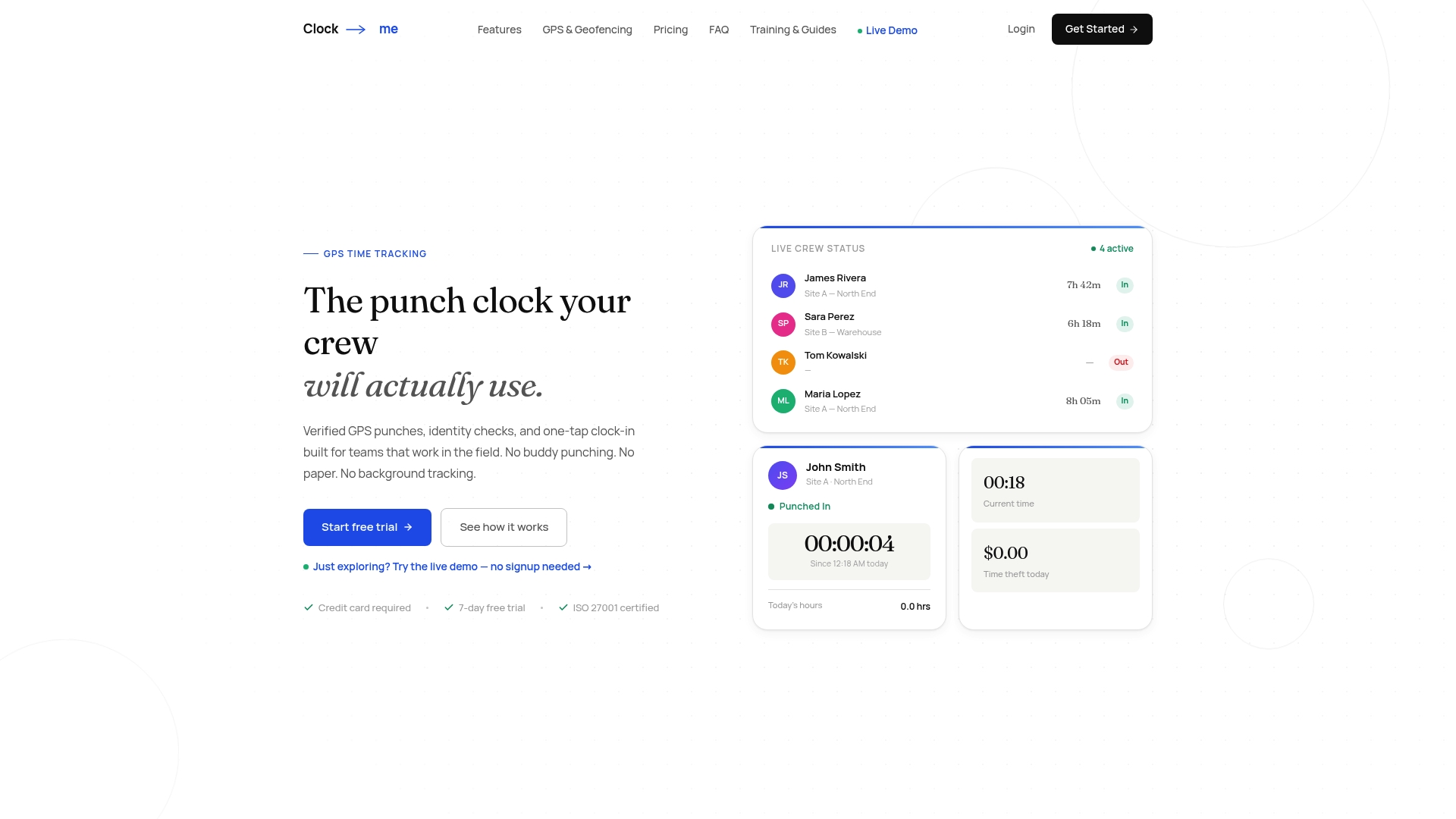
- GPS-verified punches close the gap between reported and actual hours
- Identity verification and geofencing reduce time theft without constant tracking
- Payroll export removes manual reconciliation at the end of each cycle
If you want to see how these pieces fit your own numbers, you can get started with Clock-Me and run a guided setup in minutes, or review plans and features before scheduling a demo.
Sources
- Does time management work? A meta-analysis | PLOS One
- Employee monitoring: What's acceptable? | CIPD
FAQ
How do you calculate ROI with time tracking?
Subtract your annual software and setup cost from the annual value of recovered hours and payroll savings, then divide by the annual cost. Multiply recovered hours per person by hourly value and team size to get the benefit side before running that formula.
What does tracking ROI actually mean?
Tracking ROI means comparing what a time tracking system costs against the measurable value it returns, mainly recovered billable hours, reduced payroll errors, and less time theft. A positive ROI means the recovered value exceeds the subscription and setup cost over a given period.
Does time tracking actually work?
Time tracking works when recovered hours are deliberately redeployed into billable work or reduced overtime, since hours saved without a plan tend to disappear as idle time. Research on time management interventions found a moderate positive effect on job performance and a larger effect on wellbeing, supporting its practical value beyond just the numbers.
What counts as a strong ROI from time tracking?
A strong result is one where the annual benefit clearly outweighs the annual cost after accounting for license fees and setup, with payback measured in weeks rather than months in many calculator examples. The exact percentage depends entirely on your team size, hourly rate, and recovered-hour assumptions, so run your own numbers using the formula above rather than relying on a single benchmark figure.