
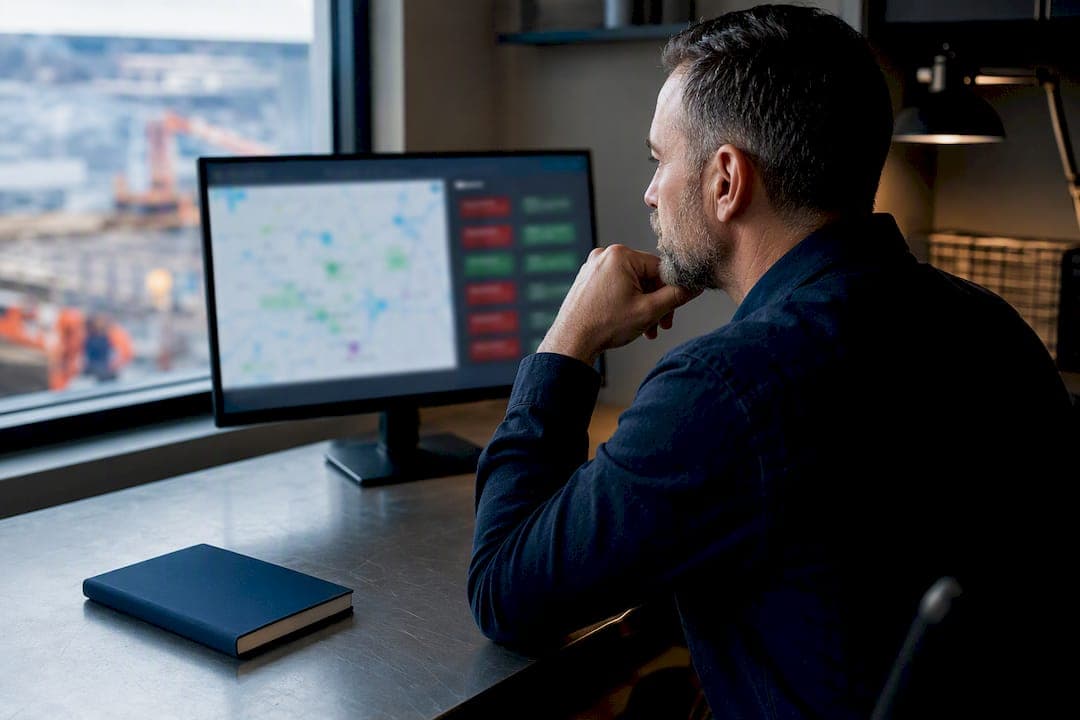
Real-time attendance means you know who's working, where, and since when the moment it happens, with a timestamped record that survives a payroll dispute. For managers, the immediate payoff is fewer end-of-period edits and a live headcount instead of a guess. If you're evaluating a switch, look for GPS or QR verification paired with a live dashboard, and test one with a hands-on demo before committing to a rollout.
TL;DR:
- GPS and geofencing are ideal for mobile and field teams, while QR codes are quick to set up and require no app download.
- Offline punch buffering and synchronization are crucial for crews working in remote areas with poor connectivity.
- Dashboards should provide real-time updates, and exports must be audit-ready in multiple formats to withstand disputes.
- A phased rollout starting with a pilot group and clear policy enforcement reduces implementation risks and ensures data accuracy.
- Privacy measures include limiting data retention, encrypting stored data, and obtaining employee consent, especially in multi-jurisdictional compliance.
Table of Contents
- How Real-Time Attendance Tracking Actually Works
- What ROI Actually Looks Like
- How to Roll Out Attendance Tracking Without Disruption
- What to Look For When Comparing Systems
- What to Expect for Setup Time and Deployment
- Privacy and Compliance Basics Before You Roll Out
- How Clock-Me Fits the Manager Checklist
- Where to Go Deeper on the Technical Details
- Why Most Attendance Advice Undersells the Alerting Problem
- Try Clock-Me Before You Commit to a Rollout
- Sources
How Real-Time Attendance Tracking Actually Works
Every real-time attendance system solves the same problem differently: prove a specific person was at a specific place at a specific time, then push that record somewhere a manager can see it instantly. The method you pick determines how much friction employees feel and how much trust you can put in the data.
GPS and geofencing work best for field crews and multi-site teams. The app checks a worker's location against a set boundary at the moment they clock in, which is the only practical way to confirm attendance when there's no fixed front door to badge through.
QR codes and kiosks trade precision for speed. A worker scans a code or taps a shared terminal, no app download required, which makes onboarding almost instant. Attenditai's model streams these check-ins straight into a live dashboard with audit-ready exports, so the simplicity doesn't cost you a paper trail.
Biometric verification (fingerprint or facial match) offers the strongest identity proof but carries real privacy weight, since it usually requires storing sensitive biological data unless the vendor uses tokenized templates instead of raw images.
BLE and Wi-Fi presence detection run passively in the background. PULT's approach detects presence through existing network connections with no extra hardware, though it's built for office occupancy, not verifying a technician actually reached a client site.
- GPS/geofencing: best for field and mobile teams
- QR/kiosk: fastest setup, no app required
- Biometrics: strongest identity proof, highest privacy stakes
- BLE/Wi-Fi: passive and hardware-free, weaker for location-specific proof
Most systems also buffer punches offline and sync once connectivity returns, which matters more than vendors admit when your crews work in basements, rural sites, or dead zones.
What ROI Actually Looks Like
The financial case for real-time attendance rests on three things: fewer manual corrections, less time theft, and faster answers when something goes wrong mid-shift.
Payroll teams that switch from paper or spreadsheet logs to verified digital punches typically see a sharp drop in manual timesheet edits, since there's no rounding, no illegible handwriting, and no "forgot to clock out" guesswork to reconstruct. Buddy punching, where one employee clocks in for another, becomes far harder to pull off once a clock-in requires GPS confirmation or a face match tied to a specific device.
Live dashboards turn attendance from a report you read tomorrow into a feed you watch today. That shift lets you catch a no-show at 8:05 AM instead of discovering it at 5:00 PM.
Track these to know if it's working:
- Payroll reconciliation time saved per pay period
- Percentage reduction in manual timesheet edits
- Time-to-action on absence alerts (minutes, not hours)
- Frequency of location or identity verification failures
Configure alerts around exception-based reporting rather than a constant live feed you're expected to babysit. A dashboard that pings you only when someone misses a shift window or breaches a geofence protects your attention far better than one that notifies you of every routine clock-in.
How to Roll Out Attendance Tracking Without Disruption
A rushed rollout is how you end up with angry supervisors, incomplete payroll data, and a system nobody trusts by week two. Sequence it instead.
- Pick a verification method and a pilot group. Choose GPS/geofencing for field crews or QR/kiosk for a fixed location, and start with one team or site, not the whole company.
- Set your policies before you set the software. Define geofence radius, acceptable clock-in windows, and break/meal rules explicitly, so the system enforces what you've actually decided rather than a vendor default.
- Run the pilot in parallel with your legacy method for one full pay period. Comparing automated records against your existing timesheets for one complete cycle exposes policy gaps before they hit payroll, not after.
- Train supervisors on exception handling. Document what happens when a punch fails, a phone dies, or a geofence flags a false positive, and get that written down before it happens live.
- Verify the payroll export format, then cut over. Confirm CSV, Excel, or API exports match your payroll system's expected fields before you retire the old process entirely.
Pro Tip: Run your pilot during a normal, unremarkable pay period, not your busiest week. You want to catch policy gaps, not chase them during a crunch.
What to Look For When Comparing Systems
Vendor demos are full of impressive-sounding features that don't survive contact with a real crew. Focus your evaluation on the handful of things that determine whether the system holds up under an audit or a dispute.
A live manager dashboard should show a real-time feed of clock-ins and outs, not a report that refreshes on a delay. Audit-ready exports in CSV, Excel, and PDF formats matter more than any dashboard graphic, since timestamped records tied to a specific employee are what actually hold up in a payroll disagreement.
Ask directly about anti-spoofing and identity verification: can an employee fake their GPS location with a location-spoofing app, and does the system detect it? Confirm payroll and HRIS integration depth, since a system that only exports a generic spreadsheet will cost you hours of manual reformatting every cycle. Check role-based admin controls so a site supervisor sees only their crew, not the entire company roster.
- Real-time dashboard with a live feed, not a delayed report
- Exportable, audit-ready records in CSV, Excel, and PDF
- Location and identity verification with spoofing detection
- Payroll/HRIS integration and role-based permissions
- Onboarding time and ongoing support quality
Finally, ask how long onboarding actually takes for a team your size, and ask for references from a company at a similar scale, not just a logo wall.
What to Expect for Setup Time and Deployment
Deployment models split into three broad categories, and the timeline you should expect depends on which one you pick and how deep your payroll integration needs to go.
- No-hardware mobile + QR setups can go live in minutes to hours, since there's nothing to install beyond an app or a printed code.
- Kiosk or biometric terminals need physical installation and staff training, which typically stretches setup into days rather than hours.
- Passive Wi-Fi or BLE detection can be live quickly too, but works better for stationary office presence than for verifying a mobile crew's location.
Vizitor documents deployments going live in under 30 minutes for straightforward GPS/QR setups. What actually stretches a timeline is the number of sites you're rolling out to at once, how deep the payroll integration needs to run, and how many custom rules (overtime thresholds, meal break enforcement, multiple geofences per site) you're layering in before go-live. A single-site pilot with a standard export format is a same-day project. A 40-site rollout with custom compliance rules is a multi-week one.
Privacy and Compliance Basics Before You Roll Out
Real-time attendance systems collect location and identity data, which means privacy planning isn't optional, it's part of the setup checklist.
Minimize what you retain. Favor verification tokens and timestamps over storing raw biometric images or continuous location history, since a token proves the punch happened without keeping sensitive data around to breach or misuse. Google's privacy policies offer a useful baseline for how apps are expected to disclose data collection to users, and any vendor you evaluate should match or exceed that standard of disclosure.
- Give employees a clear notice of what's tracked and why, before rollout
- Encrypt stored data and restrict access by role
- Set a retention policy so old location and punch data doesn't linger indefinitely
- Get legal counsel involved when your state or country has specific biometric consent laws
If your workforce spans multiple states or countries, don't assume one jurisdiction's rules cover you everywhere.
How Clock-Me Fits the Manager Checklist
A suitable attendance solution should include GPS-verified punches, one-tap clock-in, identity verification, and geofencing that flags a worker outside an approved boundary before it becomes a payroll problem. Its live dashboard gives you the real-time feed managers need, and anti-buddy-punching detection targets the time theft that manual logs never catch.
| Checklist Item | How Clock-Me Addresses It |
|---|---|
| Live dashboard | Real-time crew view, not a delayed report |
| Verified location | GPS geofencing with spoofing detection |
| Identity verification | One-tap clock-in tied to verified identity |
| Payroll-ready exports | CSV/Excel/API formats for payroll systems |
| Quick pilot | Live demo available with no signup required |
You can try the live demo to confirm dashboard behavior, export formats, and geofence accuracy before you commit a single team to it.
Where to Go Deeper on the Technical Details
For the technical or policy side of this decision, Attenditai's product pages walk through QR and kiosk check-in flows in more detail. Teams managing distributed operations beyond attendance alone can review CentriOps for broader IT and operations planning across multiple sites.
Why Most Attendance Advice Undersells the Alerting Problem
Most guides on this topic obsess over which verification method is "most accurate" and barely mention what happens after you turn the data on. That's backwards. GPS and biometric verification are both accurate enough for payroll purposes today. The real failure point is alert design.
Give a manager a dashboard that pings them for every clock-in and they'll mute it within a week. That's not a technology problem, it's a management design problem, and it's why exception-based alerting deserves more attention than any accuracy debate.
If you're rolling this out, prioritize your policy work over your vendor comparison. Decide your geofence radius, your acceptable clock-in windows, and your break rules before you touch a demo. A system with mediocre accuracy but crystal-clear policies will outperform a technically superior one bolted onto vague rules every time. Get the rules right first. The technology is the easy part.
— Cristiano
Try Clock-Me Before You Commit to a Rollout
If you've read this far, you already know what to look for: GPS verification, a live dashboard, audit-ready exports, and a setup that doesn't require weeks of vendor back and forth. This type of solution is built specifically for field and mobile teams, where geofencing and identity verification matter most and where paper logs fall apart fastest.
What makes it worth trying first is that you can confirm everything in this article yourself, dashboard behavior, geofence accuracy, export formats, without a signup. That removes the biggest risk in any attendance rollout: committing before you've seen the data flow live.
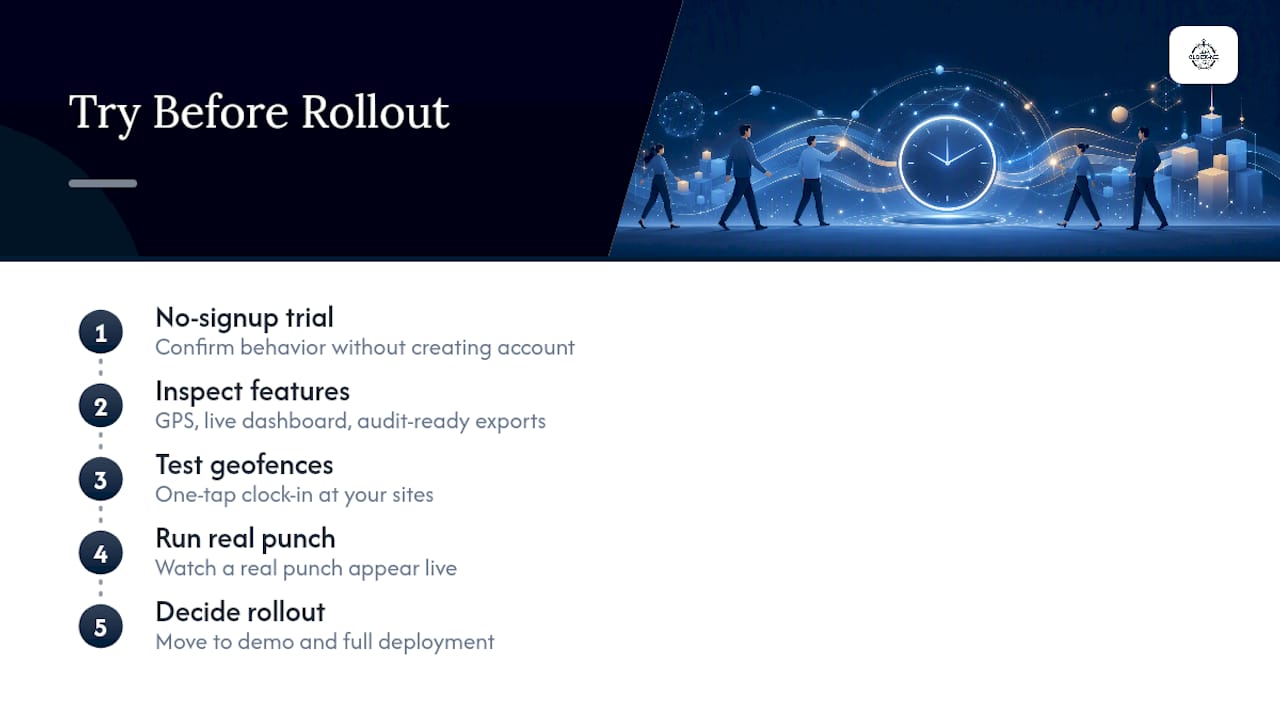
If you manage a landscaping crew, a construction site, or any team that isn't sitting at a desk, check out Clock-Me's features and see how geofencing and one-tap clock-in map to your specific sites. When you're ready to move past evaluation, get started with a live demo and watch a real punch travel from a worker's phone to your dashboard in seconds.