
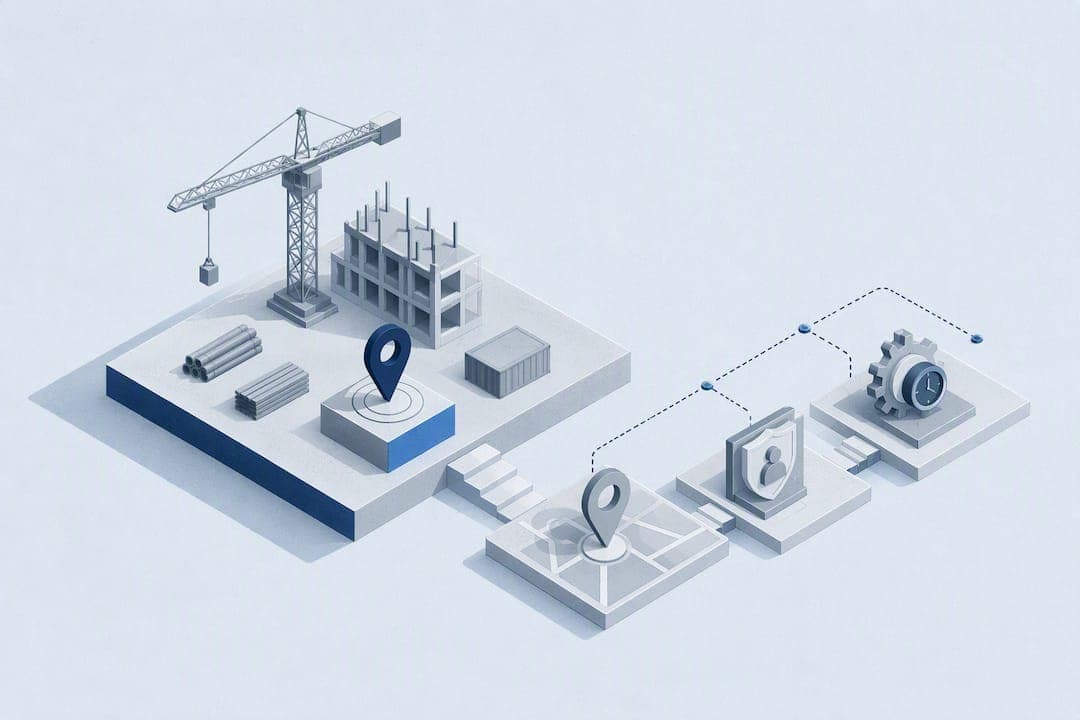
The right digital time clock for field teams is a GPS-verified, geofence-enabled SaaS platform with identity verification and payroll export built in. It replaces paper timesheets and guesswork with location-confirmed clock-ins, cuts payroll disputes, and ties hours to job codes for accurate costing. Some platforms build toward exactly this model, and the sections below walk through what to look for before you sign a contract.
TL;DR:
- GPS verification and geofencing are essential to ensure clock-ins occur only within designated job sites, preventing time theft and inaccuracies.
- Identity verification methods like photo capture, PIN, or biometrics are necessary to stop buddy punching and ensure accurate employee attendance records.
- Offline punch queuing and real-time audit trails improve reliability in remote areas and keep a detailed history of all timecard modifications.
- Running a small pilot with clear geofence settings, job codes, and employee training can establish a reliable deployment in under a month.
- Privacy controls should limit GPS data access to event-based checks with explicit employee consent and defined data retention policies.
Table of Contents
- What Does "Digital Time Clock" Mean for Field Teams?
- What Features Actually Matter in a Digital Time Clock?
- How Should You Choose and Configure a Provider?
- How Do You Roll Out a Digital Time Clock in 30 Days?
- What Privacy and Compliance Controls Should You Require?
- What ROI Should You Expect From a Digital Time Clock?
- What Support and SLAs Should a Vendor Offer?
- How Secure Is Employee Location Data, and What Certifications Matter?
- Can You Customize Reports and Fields for Your Business?
- Do You Need Special Hardware for a Digital Time Clock?
- Why Clock-me Built Its Platform Around Field Verification
- Ready to Replace Paper Timesheets With Verified Clock-Ins?
- Sources
- FAQ
What Does "Digital Time Clock" Mean for Field Teams?
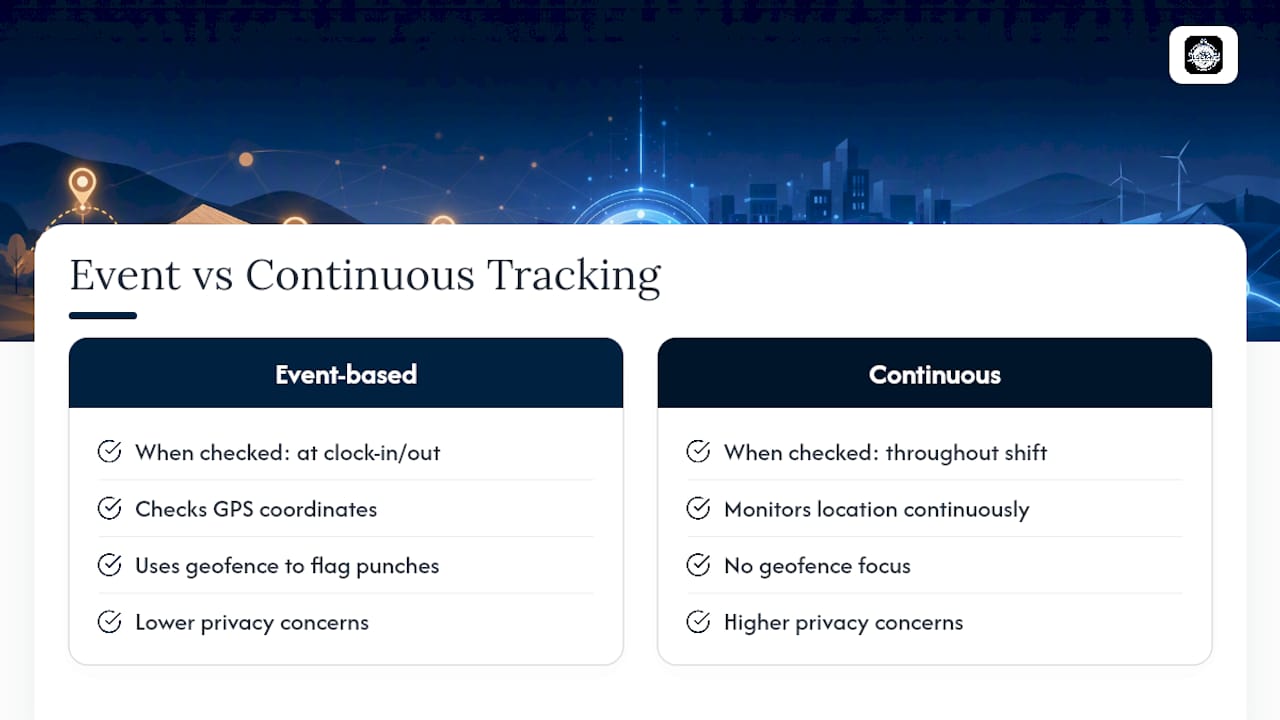
For field teams, a digital time clock is not an app that just displays the time. It is a workforce time-tracking system that confirms where an employee was when they clocked in, verifies who actually punched the clock, and stores that record for payroll and audits. GPS verification checks device coordinates against a job site the moment someone clocks in or out, while geofencing draws a virtual boundary around that site to flag punches from outside it.
That is different from continuous tracking, which monitors location throughout a shift and raises far more privacy concerns than event-based checks. Most vendors that serve field crews, including platforms built for field workers, stick to event-based verification for exactly that reason.
Construction crews, home healthcare aides, HVAC technicians, and delivery drivers are the classic use cases. Any job where the "office" is a truck, a job site, or a client's home benefits from location-confirmed timekeeping instead of a paper timesheet that an employee fills out from memory on Friday afternoon.
What Features Actually Matter in a Digital Time Clock?
Not every feature on a vendor's homepage earns a place in your workflow. Here is what to prioritize, and how to test each one during a demo rather than taking a sales deck's word for it.
- GPS-verified clock-ins and geofencing. Ask the vendor to draw a geofence around a real address live on the call, then punch in from outside it. GPS-verified timesheets check coordinates against that boundary at the moment of the punch, and you want to see the rejection or flag happen in real time, not hear about it in theory.
- Identity verification. Photo capture at clock-in, a PIN, or biometric confirmation stops one employee from punching in for another, a practice known as buddy punching.
- Job costing at the point of entry. The system should let a worker select a project code before they clock in, not after, so hours land on the right job from the start.
- Payroll export formats. Ask for a sample export file and confirm it matches your payroll provider's import format, not a generic CSV that needs manual cleanup.
- Offline punch queuing. Rural sites and basements kill cell signal constantly. The app should queue the punch locally and sync once it reconnects, timestamped to the original moment.
- Audit trail and approver workflow. Every edit to a timecard should leave a record of who changed what and when.
One-tap clock-in matters more than it sounds. Field employees will not fight with a multi-screen login every morning, and a clunky process is the fastest way to kill adoption in week one.
Pro Tip: During a demo, ask to see a raw clock-in record, not a cleaned-up report. If the vendor can't show you the underlying GPS coordinate, timestamp, and geofence status for a single punch, the audit trail is thinner than the sales pitch suggests.
How Should You Choose and Configure a Provider?
Selection comes down to four questions: does it verify location the way your compliance needs require, does it integrate with your payroll system, does it handle job costing at entry, and does it work when the signal drops. Everything else is secondary.
- Run a live demo, not a slide deck. Have the rep show a raw clock-in record, walk through an export sample, and confirm whether an API exists if you need custom integrations.
- Check mobile permission settings. Confirm the app requests "while using the app" location access rather than always-on tracking, which is both a privacy red flag and often unnecessary for event-based verification.
- Map out total cost of ownership. Most platforms price per active user plus a base platform fee. Add onboarding costs, any hardware, and the cost of a free trial period before committing to a plan size.
- Watch for red flags. Walk away from any platform that defaults to continuous location tracking, offers no visibility into offline sync behavior, or can't produce an audit log on request.
Free trials are common in this category and worth using fully. Run a real pilot with a small crew rather than testing in a conference room, since Wi-Fi-perfect demo conditions rarely match a job site with two bars of signal.
How Do You Roll Out a Digital Time Clock in 30 Days?
A clean first payroll run depends on setup work done before anyone clocks in, not troubleshooting after.
- Map your sites and set geofence radii. Start with roughly 150 to 300 feet for most outdoor job sites, tightening for dense urban blocks and widening slightly for large lots or rural properties.
- Preconfigure job codes and assign teams. Get project codes built and crews assigned before the pilot starts, not during it.
- Run a small pilot first. Pick one crew, one site, and a week or two of real punches. Capture edge cases like indoor clock-ins or weak GPS signal, and build a simple exception process for them.
- Train employees and document consent. A 15-minute walkthrough plus a one-page job aid beats a lengthy manual nobody reads. Collect written acknowledgment of your location policy while you're at it.
- Validate the first payroll export before approving pay. Review every flagged exception manually until you trust the pattern.
Rollouts for a handful of sites can move in days, with multi-location deployments stretching to a few weeks depending on complexity.
Pro Tip: Treat week one as a diagnostic, not a launch. The exceptions your pilot surfaces (a warehouse with dead GPS zones, a crew that starts before the office opens) tell you exactly what your exception workflow needs to handle at scale.
What Privacy and Compliance Controls Should You Require?
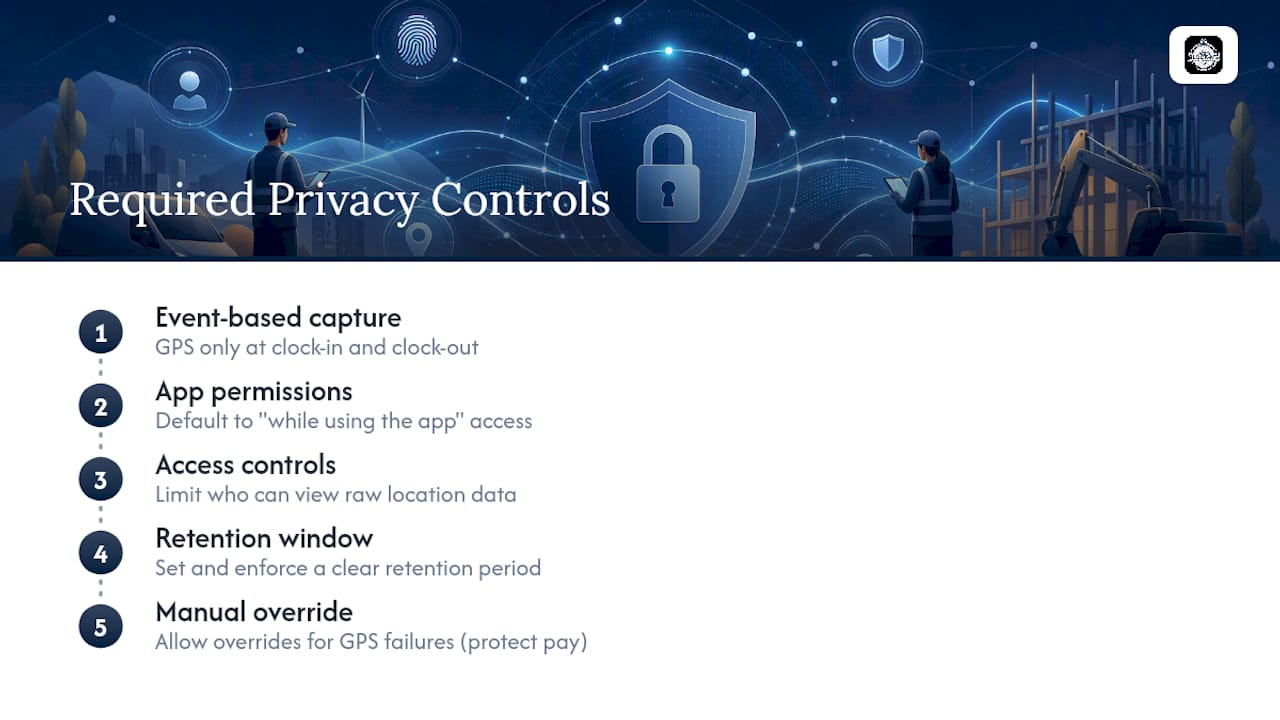
Event-based location capture, meaning a GPS check only at clock-in and clock-out, carries far less legal and employee-relations risk than continuous tracking throughout a shift. Geofencing done this way is generally lower risk, but it still requires disclosure, the right permission settings, and often explicit written consent when employees use personal devices.
Default the app to "while using the app" permissions rather than always-on access. Limit who inside your company can view raw location data, and set a clear retention window instead of keeping records indefinitely. Build a manual override for GPS failures, too. An employee working in a basement or a metal-sided warehouse shouldn't lose pay because a signal dropped through no fault of their own.
What ROI Should You Expect From a Digital Time Clock?
The business case breaks into four measurable buckets. Fewer payroll corrections top the list. Manual timesheets generate constant back-and-forth over rounded hours and forgotten punches; verified digital records cut that correction cycle down substantially.
Buddy punching and unintentional overpayment drop when identity verification and geofencing confirm both who clocked in and where. Job costing improves your next bid, too. When hours attach to a project code at the moment of entry rather than at data entry days later, margin data becomes something you can trust for pricing the next job.
Approvals move faster because managers review flagged exceptions instead of every single timecard line by line. That same digital trail doubles as your audit and payroll accuracy record if a wage dispute or compliance question ever comes up.
What Support and SLAs Should a Vendor Offer?
A digital time clock touches payroll, which means downtime or a support delay has direct financial consequences. Ask vendors upfront what response time they commit to for a payroll-blocking issue versus a minor cosmetic bug, and get that commitment in writing rather than a verbal assurance on the sales call.
Look for a documented support channel, whether that's a ticketing system, live chat, or phone line, plus published hours that match your business's operating hours. If your crews start at 5:00 AM and your support team opens at 9:00 AM, that gap matters on a morning when the app won't let anyone clock in.
Training materials matter just as much as reactive support. A vendor that provides onboarding guides, video walkthroughs, and a searchable help center reduces how often you need to call support in the first place. Ask specifically whether onboarding assistance is included in your subscription tier or billed separately, since that's a common place where the advertised price and the real first-year cost diverge.
Finally, ask about uptime history. A platform that goes down during a Friday payroll run costs you more than a subscription discount saves you.
How Secure Is Employee Location Data, and What Certifications Matter?
Location and identity data are sensitive by nature, so encryption in transit and at rest should be table stakes, not a premium feature. Ask any vendor for a plain-language explanation of how data is encrypted, where it's stored, and who can access it internally.
For companies operating in Europe or handling health-adjacent field work, ask directly whether the platform supports GDPR-aligned data handling or HIPAA-relevant safeguards for home healthcare scenarios. Not every vendor needs every certification, but the vendor should be able to name exactly which standards it meets rather than offering a vague "we take security seriously" response.
A published Data Safety Summary is worth requesting from any provider you're evaluating. It should spell out data retention timelines, third-party sharing policies, and what happens to location records after an employee leaves the company. If a vendor can't produce something equivalent to that in writing, treat it as a gap, not an oversight.
Can You Customize Reports and Fields for Your Business?
Generic time-tracking reports rarely match how a construction company, a home healthcare agency, or a logistics operation actually bills its clients. Look for a platform that lets you build custom fields, whether that's equipment usage, client site notes, or safety checklist confirmations, without needing a developer to configure it.
Reporting flexibility matters just as much. You should be able to filter by job code, employee, date range, or site, and export those views in formats your office manager can actually use, not just raw data dumps. Dashboards that update in real time give supervisors a live view of who's clocked in and where, rather than a report they have to run manually each afternoon.
Ask during a demo whether custom reports can be scheduled to email automatically. A payroll manager who gets a Friday morning summary without asking for it saves real time every single week.
Do You Need Special Hardware for a Digital Time Clock?
Most modern platforms run entirely on the smartphones your field employees already carry, which is a major advantage over older physical time clock terminals bolted to a wall. Both iOS and Android compatibility should be non-negotiable, since a mixed-device workforce is the norm, not the exception.
Some businesses still want a shared kiosk option for a single job site entry point, particularly on large construction sites with dozens of workers checking in at one shared trailer. If that's your situation, ask whether the vendor offers a tablet-based kiosk mode rather than requiring every worker to own a smartphone.
Beyond a device and a data connection, there's usually nothing else to buy. That's a meaningful shift from legacy time clock hardware that required physical installation, wiring, and a maintenance contract.
Why Clock-me Built Its Platform Around Field Verification
We built Clock-me around a simple observation: paper timesheets and basic app-based clocks both fail the same test. Neither one proves where an employee actually was. GPS-verified clock-ins, geofencing, and identity verification exist to close that gap, and Clock-me's platform maps directly onto the practices this guide recommends, from geofenced job sites to live dashboards managers can check without waiting for a weekly report.
Compliance is where a lot of vendors go quiet, and it's where transparency matters most. A Data Safety Summary documents how location data is handled, and training materials may be built for crews who have never used a time-tracking app before, not just tech-savvy office staff. If you're evaluating a platform right now, start with the setup guide and see how quickly a pilot crew can get running.
Ready to Replace Paper Timesheets With Verified Clock-Ins?
If you've been running crews on paper timesheets or a basic app that never confirms location, the gap between that and a verified system shows up every payroll cycle in corrections, disputes, and job-costing guesswork you can't fully trust. Some platforms close that gap with GPS-verified clock-ins, geofencing, and identity checks built for field teams from day one, not bolted on as an afterthought.
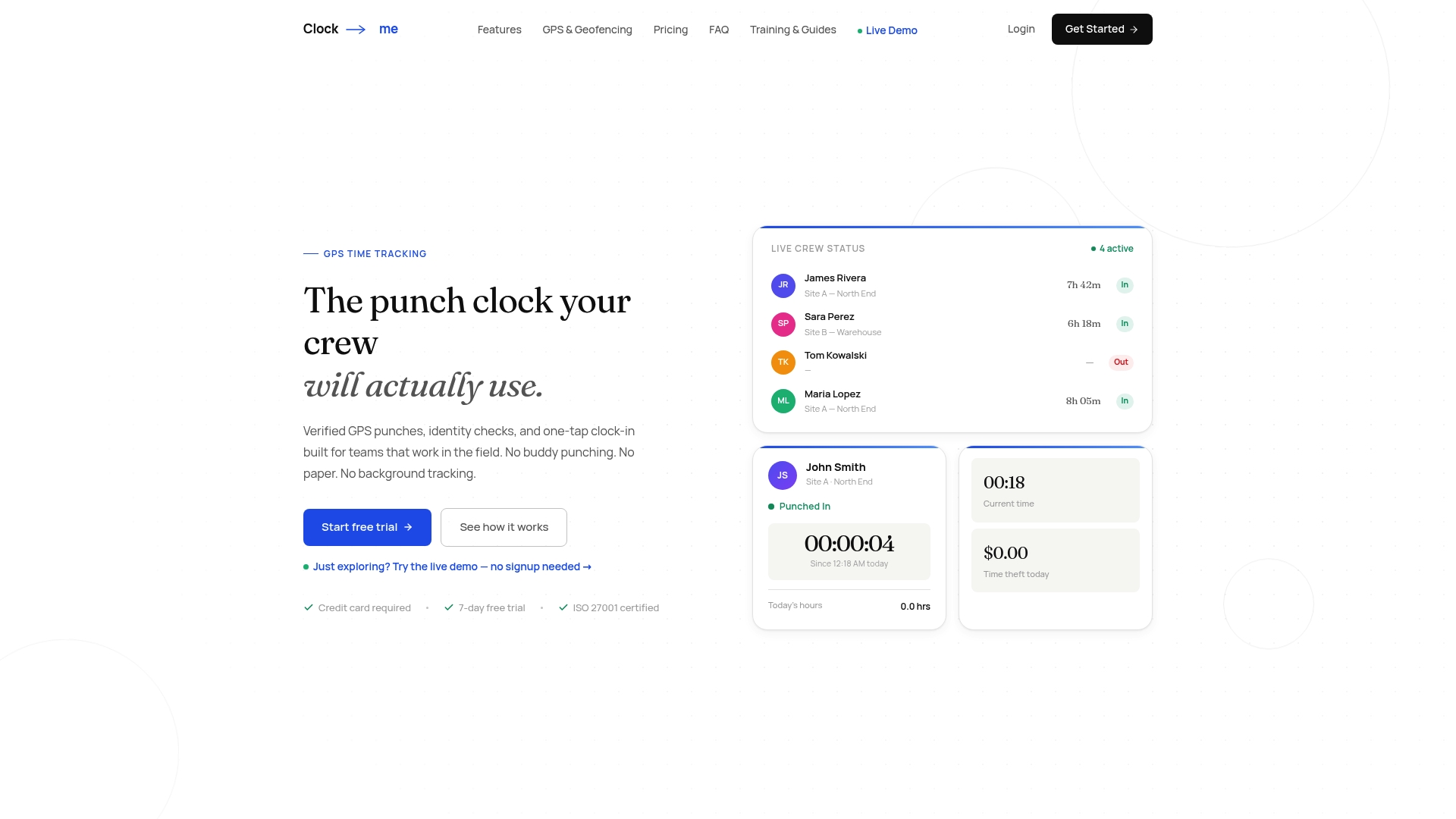
Getting started may not require a lengthy sales cycle. The setup guide walks you through mapping your first site and running a pilot with a small crew, and onboarding support may be available to help configure job codes or geofence radii. To see the full feature set first, the solutions page breaks down what's included at each plan level. You can start a trial and run a pilot pay period before your next payroll deadline.
Sources
- What Is GPS Time Tracking? Benefits, Uses & How It Works
- Geofencing Time Tracking: Is It Legal? Complete Guide
FAQ
What Is a Digital Time Clock for Field Teams?
It's a SaaS platform that verifies an employee's location and identity at clock-in and clock-out, replacing paper timesheets with GPS-confirmed, auditable records.
How Does Geofencing Prevent Time Theft?
Geofencing draws a virtual boundary around a job site and checks device coordinates against it at the moment of a punch, flagging or blocking clock-ins that happen outside that zone, as described in GPS-verified timesheet guidance.
Is Continuous GPS Tracking Necessary, or Just Clock-In Verification?
Event-based capture at clock-in and clock-out is generally sufficient for payroll verification and carries much lower privacy risk than continuous, always-on location tracking.
How Long Does It Take to Deploy a Digital Time Clock?
A small pilot can launch in days, while a multi-site rollout typically takes a few weeks depending on how many locations and crews need onboarding.
Does Clock-me Support Job Costing and Payroll Export?
Yes, Clock-me lets crews tag hours to job codes at clock-in and exports records in formats built for payroll integration, which you can review on the Clock-me solutions page.