

The right answer for most small businesses with field or mobile crews is GPS-verified attendance tracking with geofencing, one-tap clock-in, and identity checks, which is exactly what Clock-me builds. Multi-site operators, contractors, and any team spread across job sites benefit the most. Done right, you get accurate, payroll-ready attendance data within a single pay cycle.
TL;DR:
- Verified GPS, geofencing, or biometric punches are essential for preventing buddy punching and ensuring accurate job site attendance.
- Offline sync and anti-spoofing features are crucial for maintaining data integrity in signal-challenged work environments.
- Flat-rate or usage-scaled pricing models benefit small teams by avoiding penalties during seasonal or fluctuating staffing.
- Conducting a pilot for two to four weeks, with staff training and payroll mapping, significantly reduces system abandonment and errors.
- A clear policy and employee acknowledgment, combined with a pre-launch checklist, help ensure a smooth attendance system rollout.
Table of Contents
- What Small Businesses Should Prioritize When Choosing Attendance Tracking Software
- GPS, QR, Biometrics, or Spreadsheets: Which Attendance Method Fits Your Team?
- How to Roll Out Attendance Tracking Without Disrupting Payroll
- What Attendance Software Actually Costs a Small Team
- Getting Location Tracking and Data Privacy Right
- Deployment Checklist: What to Finish Before Day One
- Clock-Me in Practice: Features, Demo Access, and Where It Fits
- What I've Learned Running Attendance Rollouts for Field Teams
- Why This Platform Is the Practical Next Step for Field Teams
- Sources
What Small Businesses Should Prioritize When Choosing Attendance Tracking Software
Most attendance management for businesses fails for one of two reasons: the tool doesn't stop time theft, or it doesn't fit into payroll without a manual cleanup step every two weeks. Fix those two problems and everything else is a nice-to-have.
Review sites that evaluate employee attendance software tend to cluster their scoring around four questions: how the tool verifies attendance, how well it integrates with payroll, how it behaves without a signal, and whether the pricing actually scales for a small team instead of punishing it. That's a useful filter to run any vendor through before you sign anything.
Verification and anti-fraud controls. Buddy punching, where one employee clocks in for another, is one of the oldest problems in hourly workforce management, and it's still common on job sites where a supervisor isn't standing at the door. Look for identity verification (photo or biometric check at punch time) and GPS or geofence confirmation that the punch happened where it was supposed to happen. A tool that just logs a timestamp from any device, anywhere, doesn't solve the actual problem you're buying software to fix.
Mobile reliability and offline sync. Field crews work in basements, rural sites, and buildings with concrete that eats cell signal. If the app can't record a punch offline and sync it once connectivity returns, you'll get gaps in your data exactly where accuracy matters most. Ask any vendor directly: what happens when a phone has zero bars at 7 a.m. on a job site?
Payroll and HR integrations. Manual data entry from a time clock into payroll software is where most attendance errors are born. Independent reviews of small-team tools consistently flag payroll-ready exports and integrations with common payroll and communication platforms as a deciding factor, not a bonus feature. Check whether the vendor supports CSV, Excel, or API export, and whether that maps cleanly to the payroll system you already run.
Admin controls, reporting, and access levels. A five-person landscaping crew and a 60-person multi-site operation need different things from an admin panel. You want the ability to set up sites, shifts, and roles without calling support every time, plus a live dashboard that shows who's clocked in right now, not a report you pull at the end of the week.
Pricing model fit and hidden costs. Per-user pricing can quietly balloon as you add seasonal or part-time staff. Some vendors instead offer flat-rate plans with unlimited users at a fixed monthly price, which changes the math significantly for a small operation with fluctuating headcount. Watch for add-on charges tied to SMS alerts, extra locations, or "premium" integrations that turn out to be standard elsewhere.
Trust signals worth requesting. Before you commit, ask for a live product demo, not a slide deck. Ask for the vendor's data-security or privacy page in writing. A company confident in its product will hand both over without friction.
- Verified punches (GPS, geofence, or biometric), not just a timestamp
- Offline capture with automatic sync
- Payroll export formats that match your existing system
- Admin roles scoped to sites, shifts, or crews
- Pricing that doesn't punish seasonal headcount swings
- A demo you can test before paying anything
Pro Tip: Ask a vendor to walk you through what happens when an employee's phone dies mid-shift. The answer tells you more about the product's real-world design than any feature list.
GPS, QR, Biometrics, or Spreadsheets: Which Attendance Method Fits Your Team?
The capture method matters more than most buyers realize, because it determines whether the data you collect can actually survive a payroll audit or a dispute with an employee.
- GPS and geofencing. The app records location at the moment of the punch and checks it against a virtual boundary drawn around a job site or office. This is the strongest fit for field teams, delivery crews, and any business with employees working across multiple addresses. The limitation: it needs a phone with location services on, and it works best when paired with anti-spoofing detection, since fake-GPS apps exist and a system that can't catch them isn't really verifying anything.
- QR code or tablet check-ins. A tablet mounted at a single entrance, or a printed QR code employees scan on arrival, works well for a fixed location like a retail store, restaurant, or warehouse. It's cheap and fast to deploy but does nothing for a crew that moves between sites during the week.
- Biometric hardware. Fingerprint or facial-recognition clocks eliminate buddy punching almost entirely and suit businesses with one stable location, like a manufacturing floor. The tradeoffs are real: upfront hardware cost, ongoing maintenance, and installation at every site you operate, which gets expensive fast once you're past a single address.
- Spreadsheets and templates. For a two- or three-person startup that hasn't yet justified a paid tool, a well-built attendance tracking template still works as a short-term bridge. The moment you add a second location, a rotating shift schedule, or your fourth employee, the manual entry errors start outweighing the money you're saving.
Vendor guidance across the industry frames GPS and QR check-in as a practical alternative to expensive biometric hardware, since both deliver a verified location stamp without the installation cost of a physical device at every entrance. That's the tradeoff in a sentence: hardware buys you a hard-to-fake identity check at one address; GPS buys you flexibility across many addresses at a fraction of the setup cost.
Offline sync and anti-spoofing detection change this calculus more than people expect. A GPS system with no offline capture is only as good as the weakest signal on your worst job site. A GPS system with no spoofing detection is trivially defeated by a five-dollar app. Both features separate a genuinely secure tool from one that just looks secure on a spec sheet.
- Field or multi-site crews: GPS with geofencing and anti-spoofing checks
- Single fixed location, high foot traffic: QR or tablet check-in
- One stable site, high-security need: biometric hardware
- Two or three employees, pre-revenue stage: a structured spreadsheet template
How to Roll Out Attendance Tracking Without Disrupting Payroll
A rollout that skips the pilot phase is the single most common reason attendance software gets abandoned within the first quarter. Employees revolt against a system nobody explained, admins get buried in exceptions nobody planned for, and the whole project quietly reverts to the old paper log.
- Write the policy before you touch the software. Define what counts as a valid punch location, how grace periods for lateness work, what happens with a missed punch, and how overtime and breaks get recorded. If your state has specific meal or rest break rules, this is where you bake compliance into the workflow instead of bolting it on later.
- Run a two-to-four-week pilot with one crew or site. Track three numbers during the pilot: the percentage of missed or misrecorded punches compared to your old method, the hours your admin spends reconciling attendance for payroll, and the average weekly time spent approving exceptions. These three metrics are what you'll show leadership to justify the wider rollout, so track them from day one rather than reconstructing them later.
- Train staff and managers separately. Employees need five minutes on how to clock in, request a correction, and read their own hours. Managers need a longer session on approving exceptions, reading the live dashboard, and handling a disputed punch. Skipping the manager session is how you end up with a supervisor who still keeps a paper backup "just in case," which defeats the entire purpose of automating your records.
- Map payroll fields and run a test export before go-live. Match each field in the attendance system (regular hours, overtime, break deductions) to the corresponding field in your payroll software, then run one full test export against a real pay period before you go live company-wide. This catches formatting mismatches while the stakes are still low.
Pro Tip: Run your pilot during a normal week, not your busiest or slowest one. A pilot during peak season will hide problems that show up the moment volume drops back to normal.
What Attendance Software Actually Costs a Small Team
Pricing for employee attendance software generally falls into three shapes: per-user monthly fees, flat-rate plans with no per-seat charge, and tiered plans that unlock features like geofencing or integrations at higher levels.
Per-user pricing feels fair at five employees and painful at twenty-five, especially if you bring on seasonal help for a few months a year. Some vendors sidestep this entirely with a flat monthly rate covering unlimited users, which can be meaningfully more cost-effective for a small team that only needs core attendance functions rather than a long list of enterprise features. Tiered plans sit in between: a lower tier covers basic clock-in and reporting, while GPS geofencing, payroll API access, or compliance automation get gated behind a mid or top tier.
Watch for costs that don't show up on the pricing page itself:
- Hardware fees for tablets, biometric scanners, or badge readers
- SMS or notification charges billed per message or per user
- "Premium" integration fees for connecting to payroll or HR platforms that competitors bundle in standard
- Per-site charges once you expand past your original location count
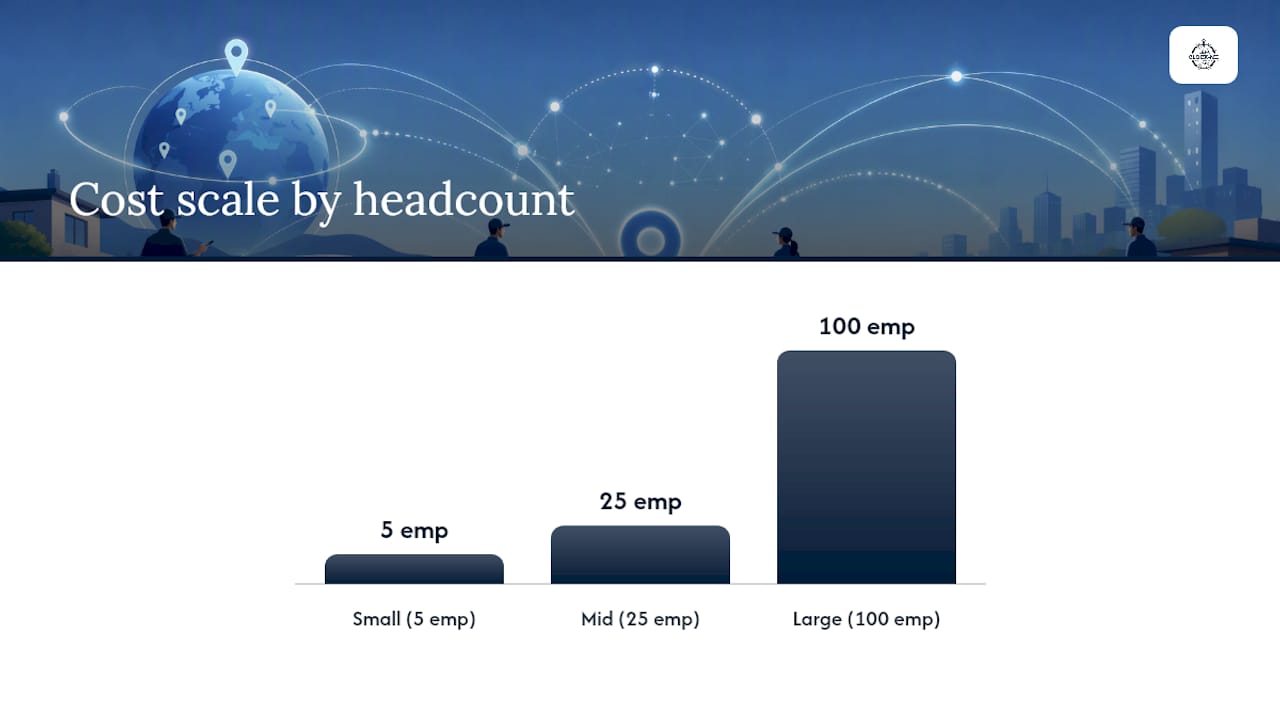
Cost scales predictably by headcount. A five-person crew typically lands in the lowest pricing tier regardless of model, since most vendors set a low floor to capture small accounts. A 25-employee operation is where the per-user versus flat-rate gap starts to matter financially, and a 100-employee operation usually needs a mid or top tier just to get the reporting and integration depth that scale demands.
The real return doesn't come from the software fee, it comes from what you stop losing. Automated systems reduce the manual errors that come from hand-entered timesheets, and every hour your admin doesn't spend chasing down a missing punch or fixing a payroll discrepancy is an hour you can put somewhere else. Two numbers worth tracking from week one: payroll correction hours per pay period, and the dollar value of hours paid for time that was never actually worked.
Getting Location Tracking and Data Privacy Right
Attendance software touches personal data, specifically an employee's location, and that alone deserves a clear policy before you flip the switch.
Location-on-punch versus continuous tracking. The safer default for almost every small business is capturing location only at the moment of a clock-in or clock-out, not tracking an employee's position continuously throughout the shift. Continuous tracking invites legal risk in many jurisdictions and creates unnecessary friction with staff who reasonably don't want to be followed all day. Punch-based capture gives you the verification you need without turning the app into a surveillance tool.
What to require from any vendor. Ask directly about encryption in transit and at rest, how long location and attendance data get retained, and whether you can export or delete your company's data on request. A vendor that can't answer these plainly in writing isn't ready for your business.
Tell employees what you're tracking, in plain language. A short written notice works better than a dense legal document nobody reads. State what's captured (location at punch time, not continuous movement), why (accurate payroll and compliance), and who can see it (managers and payroll admins, not the whole company).
- Get written or digital acknowledgment of the attendance policy from every employee
- Keep only the location data tied to punch events, not idle tracking between punches
- Confirm the vendor's retention period matches your recordkeeping requirements, not just its default setting
- Verify export and deletion rights are documented, not just promised verbally
Deployment Checklist: What to Finish Before Day One
Nothing kills confidence in a new system faster than a chaotic first morning. A short pre-launch checklist prevents most of that.
- Create admin accounts and set permission levels. Decide who can approve exceptions, who can edit historical punches, and who only gets read access to reports.
- Test geofences at every site. Walk the actual boundary of each job site or office with a phone in hand to confirm the geofence radius matches reality, not just the address on a map.
- Run a full payroll mapping test. Export one full pay period's worth of test data and confirm every field lands correctly in your payroll software before real hours depend on it.
- Send staff communications ahead of launch. Tell employees exactly how to clock in, what to do if the app fails, and who to call for help on day one.
- Build a manual fallback for missed punches. Even a well-designed system will occasionally hit a dead phone battery or a dead zone. Have a documented process for reporting and approving a missed punch instead of leaving it to guesswork.
Pro Tip: Print a one-page "what to do if the app doesn't work" card and post it at each site during week one. Most first-week support calls are the same two or three questions.
Clock-Me in Practice: Features, Demo Access, and Where It Fits
This platform is built specifically around the priorities above rather than as a general-purpose HR add-on. The core mechanics include GPS-verified punches, geofencing that confirms an employee clocked in at an approved job site, identity verification to stop buddy punching before it starts, and one-tap clock-in for crews who don't have time to fumble through menus before a shift.
The platform's live crew dashboard gives managers real-time visibility into who's on the clock, at which site, without waiting for an end-of-week report. Location-spoofing detection catches the fake-GPS problem that undermines weaker geofencing tools, which matters if you're relying on the location data for payroll or compliance decisions.
A field crew scattered across three job sites doesn't need a badge reader at every entrance. It needs a phone-based punch that confirms where the employee actually is, catches attempts to fake that location, and hands the hours straight to payroll without a manual cleanup step.
Two trust signals worth checking directly: Clock-me offers a live product demo with no signup required, so you can test geofencing and the clock-in flow before committing to anything, and its data safety summary lays out how location and attendance data get handled.
- GPS-verified punches with geofencing tied to specific job sites
- Identity verification to prevent buddy punching
- One-tap clock-in built for speed on a job site, not an office desk
- Live dashboard showing real-time crew status
- Location-spoofing detection layered on top of standard GPS checks
- Payroll export support via common formats such as CSV, Excel, or API
Where Clock-me delivers the strongest return: multi-site operations juggling several crews across different addresses, and field-based businesses like construction, landscaping, or maintenance where a fixed time clock at a single door was never going to solve the actual problem — just as platforms like Fitness Flow tailor operations solutions for modern gyms managing attendance and multi-location complexities.
What I've Learned Running Attendance Rollouts for Field Teams
The mistake I see most often isn't picking the wrong software. It's writing the policy after the software is already live, which forces admins to improvise rules for missed punches, grace periods, and overtime in real time while employees are already confused. Skipping the pilot phase is the second-biggest error. A two-week trial with one crew surfaces every edge case (dead zones, confusing exceptions, a manager who ignores the dashboard) before it becomes a company-wide headache.
Month one should aim for something modest and measurable: fewer missed punches than your old method, a payroll cycle that closes without a manual reconciliation scramble, and at least one manager who's stopped keeping a paper backup because they trust the dashboard. Those three wins tell you the rollout is working before you scale it to every site you operate.
The gap between what attendance software promises and what small businesses actually experience usually comes down to whether anyone bothered to pilot it first.
— Cristiano
Why This Platform Is the Practical Next Step for Field Teams
This solution addresses the two problems that break most small-business attendance systems: unverified punches that invite buddy punching, and attendance data that doesn't sync cleanly with payroll. GPS-verified clock-ins, geofencing tied to real job sites, identity checks, and spoofing detection handle the verification side. CSV, Excel, and API export handle the payroll side.
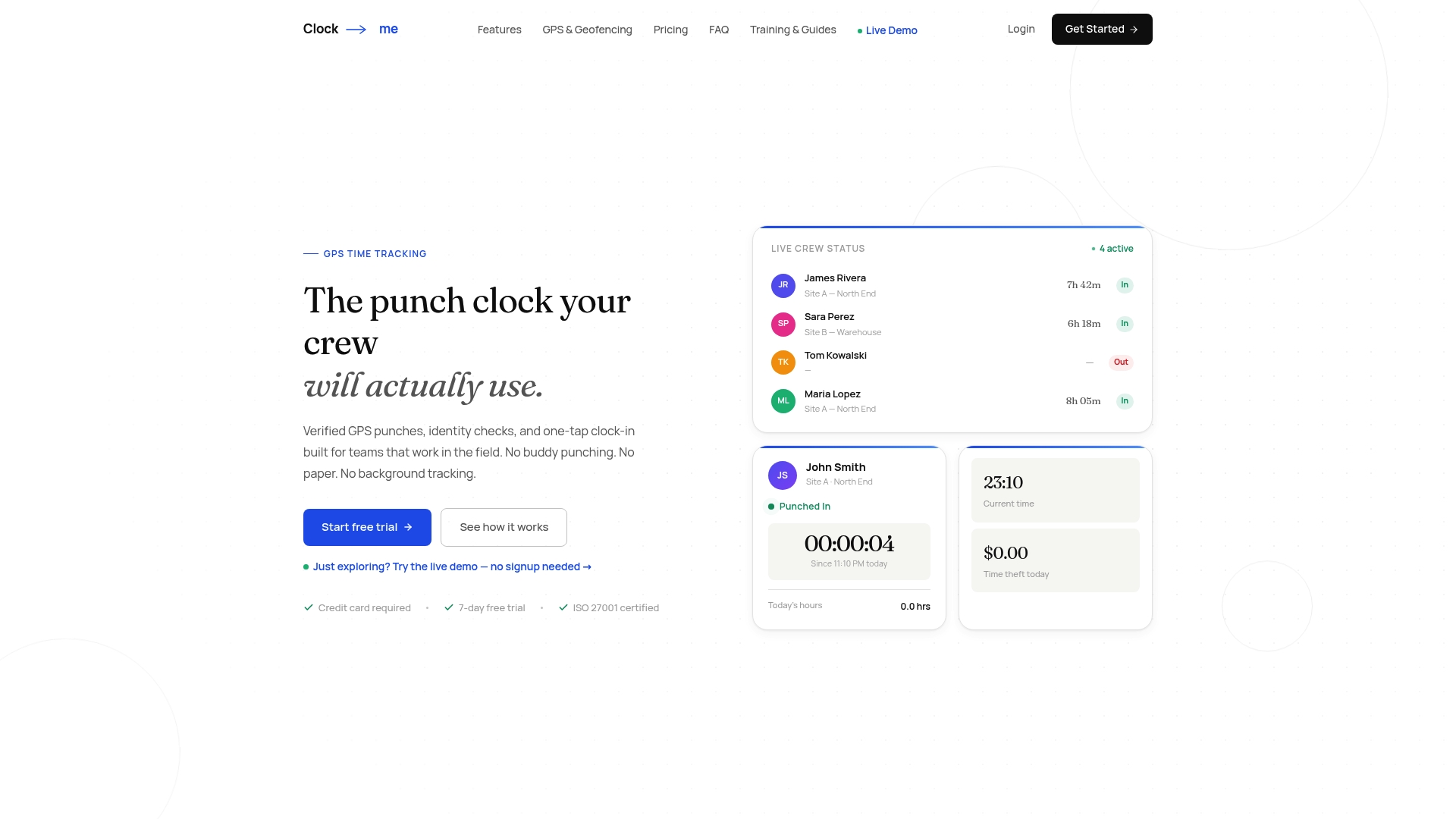
You can test the entire flow through a live demo that requires no signup, which means you can walk through geofencing and the one-tap clock-in before spending a dollar. Pricing details and plan tiers are laid out on the solutions and pricing page, and the full feature breakdown covers exactly what's included at each level. Businesses running crews across multiple sites, from construction to landscaping to maintenance, tend to see the fastest payoff since that's precisely the gap a single fixed time clock never closed. If you manage field or mobile employees and payroll reconciliation eats a chunk of your week, book a demo and see what the dashboard looks like with your own crew's schedule loaded in.
Sources
- 10 Best Attendance Tracking Software Reviewed for 2026 — People Managing People
- Free Attendance Tracking — Leave Balance
- Employee Time Clock Software - Time & Attendance Systems | Wasp