
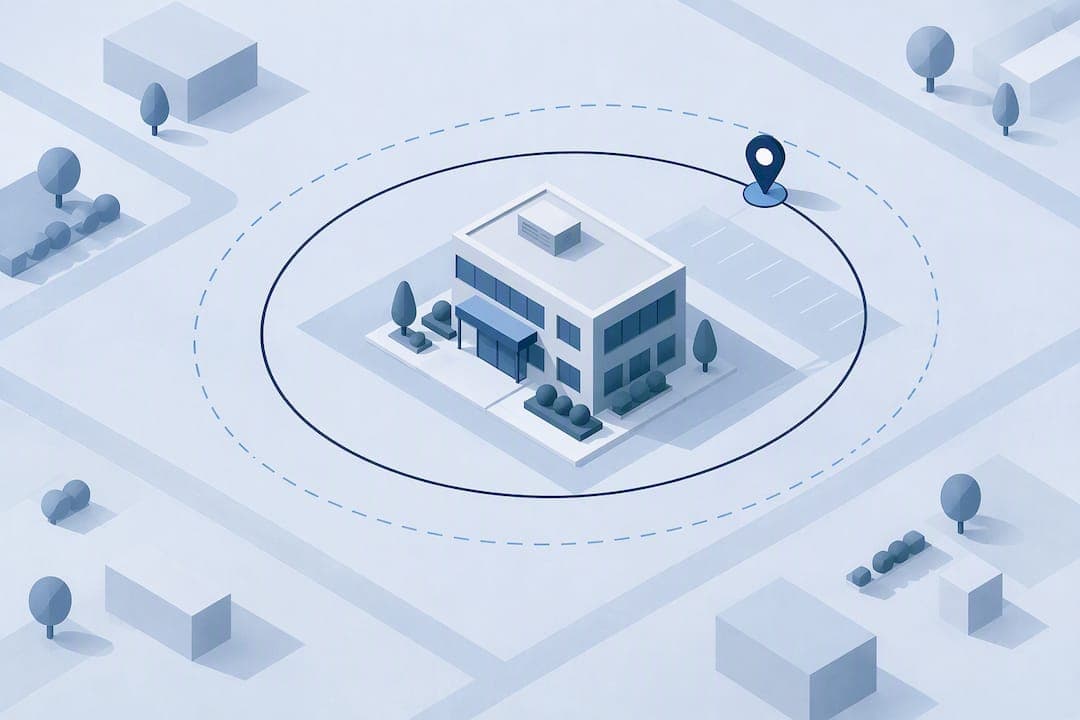
Use event-only geofence punches with generous, site-tested radii, a privacy-first policy, and an exception-first payroll workflow. Android's geofencing guidance and ICO guidance on monitoring workers both point the same way: test the boundary on-site, document why you collect location data, and flag problems instead of blocking punches outright.
TL;DR:
- Use large, site-tested geofence radii of 100 to 150 meters to accommodate structural interference and device variability, adjusting after proper testing.
- Pair geofence checks with additional identity verification methods for high-precision needs, since GPS alone cannot resolve vertical positioning or confirm the individual.
- Limit location collection to clock-in and clock-out events, and implement a record-and-flag workflow to handle false triggers caused by weak signals or passing vehicles.
- Develop a privacy-first policy that is transparent, demonstrates lawful, fair, and proportionate monitoring, and includes employee controls and clear retention limits.
- Conduct a pilot at key sites over two to four weeks to identify false flags, test accuracy across device types, and refine geofence boundaries before full deployment.
Table of Contents
- What geofence attendance can and can't prove
- How to size and test your geofence radius
- Building a privacy-first governance plan
- Operational settings that cut false punches
- Running a pilot before full rollout
- Clock-Me implementation resources for evaluating vendors
- A manager's take on accuracy versus fairness
- FAQ
- Sources
What geofence attendance can and can't prove
Geofence attendance confirms that a phone was near an approved worksite at the moment someone tapped in or out. It does not confirm which floor someone stood on, whether they stayed the full shift, or that the device belonged to the person clocking in without an added identity check. Event-based geofencing triggers a location check only at clock-in and clock-out, which is different from continuous tracking that logs a worker's position throughout the day. For most field and shift-based teams, event-based checks give you the proof you need without the privacy cost of constant monitoring.
Typical use cases include:
- Construction and job sites where workers rotate across several locations in a week.
- Retail or warehouse shifts where you want to confirm on-site arrival without badge hardware.
- Home health, delivery, or field service roles where GPS clock-ins replace paper timesheets.
- Multi-tenant buildings or campuses where a single large geofence covers several departments.
Geofencing struggles with vertical ambiguity: a radius drawn on a map cannot tell you if a worker is on the third floor or in the parking garage below it, since GPS alone does not resolve altitude well. It also depends on the device. Older phones, low battery-saver modes, and weak cell signal all widen the margin of error. When precision below a few meters genuinely matters, such as verifying presence in a specific lab or secure room, pair geofencing with badge readers, Wi-Fi-based indoor positioning, or a manual approval step rather than trusting GPS alone.
How to size and test your geofence radius
Android's own developer guidance recommends starting with a radius of 100 to 150 meters when indoor positioning is not available, and explains why: Wi-Fi-based location typically lands within 20 to 50 meters of the true position, while dedicated indoor positioning can get closer to about 5 meters. Android's geofencing documentation treats the geofence as a tolerance zone rather than a precise survey line, and that framing matters for attendance. A tight radius drawn directly on a building's walls will generate false rejections the moment a worker's phone reports a slightly off position.

Concrete and steel structures, dense Wi-Fi networks, and older devices all push accuracy in the wrong direction, and a radius that works at one site may fail at another with different materials or cell coverage. That is why Poll Everywhere's field testing guidance recommends starting with a larger check-in area and narrowing it only after testing confirms it holds up.
Before locking in a radius, walk the checklist:
- Test from the main entrance, the parking lot, and any interior zones where staff clock in.
- Repeat the test on at least two device types, including an older Android phone.
- Check accuracy during peak Wi-Fi congestion and during low-signal periods.
- Note any overlap with neighboring geofences at multi-site locations.
- Re-test after any building changes, such as new construction nearby.
Pro Tip: Walk the actual boundary with your test devices before you publish the policy. A radius that looks right on a map often behaves differently once concrete walls and Wi-Fi interference enter the picture.
Building a privacy-first governance plan
Location data is sensitive, and treating it carelessly creates legal exposure long before it creates a payroll dispute. The ICO's guidance on monitoring workers sets out the core principles we recommend building your policy around: monitoring must be lawful, fair, and proportionate, with data minimized to what the purpose actually requires and full transparency with the people being monitored.
A short governance checklist covers the essentials:
- State the specific purpose for collecting location data, limited to confirming attendance.
- Collect location only at clock-in and clock-out events, never continuously through the shift.
- Set a retention period and document who can access the records and why.
- Give employees written notice of what is collected, when, and how it is used.
- Build in a process for employees to question or correct a flagged punch.
The ICO recommends running a Data Protection Impact Assessment when monitoring is likely to pose a high risk to workers, and advises consulting affected staff as part of that process. A documented DPIA gives you a defensible record if a regulator, union, or employee later questions why the program exists and what it actually collects.
Operational settings that cut false punches
The biggest source of payroll disputes is not bad intent. It is a geofence trigger that fires at the wrong moment because of a passing car, a weak signal, or a brief loiter near the boundary. A few configuration choices fix most of that.
- Capture location only when a geofence event fires, then request a higher-accuracy fix at that moment rather than running continuous background GPS. Android's battery and location guidance warns that constant high-accuracy tracking drains battery fast and raises privacy exposure for no real attendance benefit.
- Add a dwell or loiter delay, commonly around five minutes, so a worker driving past the site does not trigger a false arrival. The same Android guidance recommends dwell transitions specifically to avoid this kind of alert spam.
- Design the workflow to record and flag out-of-zone punches rather than block them outright. A hard block turns a technical glitch, like a slow GPS fix, into a missed clock-in and a payroll headache.
- Log the metadata that makes a flagged punch auditable: device accuracy at the time, GPS source, timestamp, and the manager's note when they approve or correct an entry.
Pro Tip: Treat every flagged punch as a data point, not a verdict. A pattern of flags from one device might point to a hardware issue, not a policy violation.
Offline handling matters just as much as the trigger logic. Build in local queueing so a punch recorded in airplane mode or a dead zone syncs once connectivity returns, and surface permission and battery diagnostics to employees so they can fix a denied location permission themselves instead of calling the help desk.

Running a pilot before full rollout
A short pilot catches problems a spreadsheet never will. Pick one or two sites, run the geofence for two to four weeks, and track how often punches get flagged, how long corrections take, and whether any location pattern repeats across devices or shifts.
- Test at the main entrance, the parking area, and any interior clock-in points separately.
- Include both Android and iOS devices, plus at least one older phone in each test group.
- Check behavior under airplane mode, with a VPN or private relay active, and with location permissions denied.
- Set a simple success metric, such as fewer than a handful of false flags per week per site, before expanding further.
- Give employees a one-page explanation of how the geofence works and who to contact if a punch gets flagged.
Walk new hires through the setup once, in person or over video, and point them to a short written guide they can revisit. Our own setup guide walks through the same steps for managers piloting a GPS-based system for the first time.
Clock-Me implementation resources for evaluating vendors
If your team is comparing platforms rather than building a geofence system from scratch, a few proof points separate a trustworthy vendor from a risky one. Ask for audit logs that show who approved or edited a flagged punch and when. Ask whether the platform supports identity verification alongside location, since a GPS check alone cannot confirm who is holding the phone. Ask how the vendor supports your DPIA process and whether reports export cleanly for payroll review.
We provide a data safety summary describing what our app collects and how it is secured, along with a features overview covering GPS clock-ins, identity verification, and geofencing. Our privacy policy and terms of service spell out retention and data-handling language you can reference while drafting your own policy. If your field team also runs vehicle fleets, a partner's take on integrating GPS tracking with ERP or CRM systems is worth a look for the hardware side of the equation.
A manager's take on accuracy versus fairness
The instinct to draw a tight geofence and block anything outside it feels rigorous, but it punishes the wrong people. A GPS hiccup and an actual no-show look identical to a strict system. We would rather see generous, tested boundaries paired with a record-and-flag workflow that puts a human in the loop before anyone loses pay.
In the next 30 days: test your radius at every entrance your team actually uses, publish a one-page policy explaining what gets collected and why, and set up a visible process for appealing a flagged punch. Transparency about how the exceptions get handled builds more trust than any radius number ever will.
— Clock-me
FAQ
Is geolocation required for attendance tracking?
Geolocation is not legally required for attendance tracking in most settings, but it is commonly used to confirm that a clock-in happened near an approved worksite. Employers choosing to use it should pair the practice with a clear policy and, where monitoring risk is high, a documented Data Protection Impact Assessment.
What are the downsides of geofencing for attendance?
Geofencing can produce false flags from weak signal, aging devices, or dense building materials, and it cannot distinguish between floors or confirm who is actually holding the phone. It also raises privacy concerns if location is collected continuously rather than only at clock-in and clock-out events.
What is geofencing in an attendance system?
Geofencing in an attendance system draws a virtual boundary around a worksite and triggers a location check when an employee's device enters or leaves that boundary. Android's geofencing guidance recommends starting with a radius of 100 to 150 meters absent indoor positioning support.
Can you explain geofencing in simple terms?
Geofencing sets an invisible line around a location on a map, and a device's GPS checks whether it has crossed that line. For attendance, crossing the line at the start or end of a shift can trigger a clock-in or clock-out event instead of requiring a manual punch.
How do managers handle multiple site visits in one day?
Teams with employees visiting several sites in a day typically set up a separate geofence per location and allow multiple clock-in and clock-out events to be logged against each one. Overlapping geofences at nearby sites should be tested and adjusted during the pilot phase to avoid double-triggering on a single visit.
Sources
- Create and monitor geofences | Android Developers
- Presenter Best Practices for Location-Based Attendance – Poll Everywhere
- Data protection and monitoring workers | ICO